16S Amplicon Data Quality Control: A Comprehensive Guide to Best Practices for Microbiome Researchers
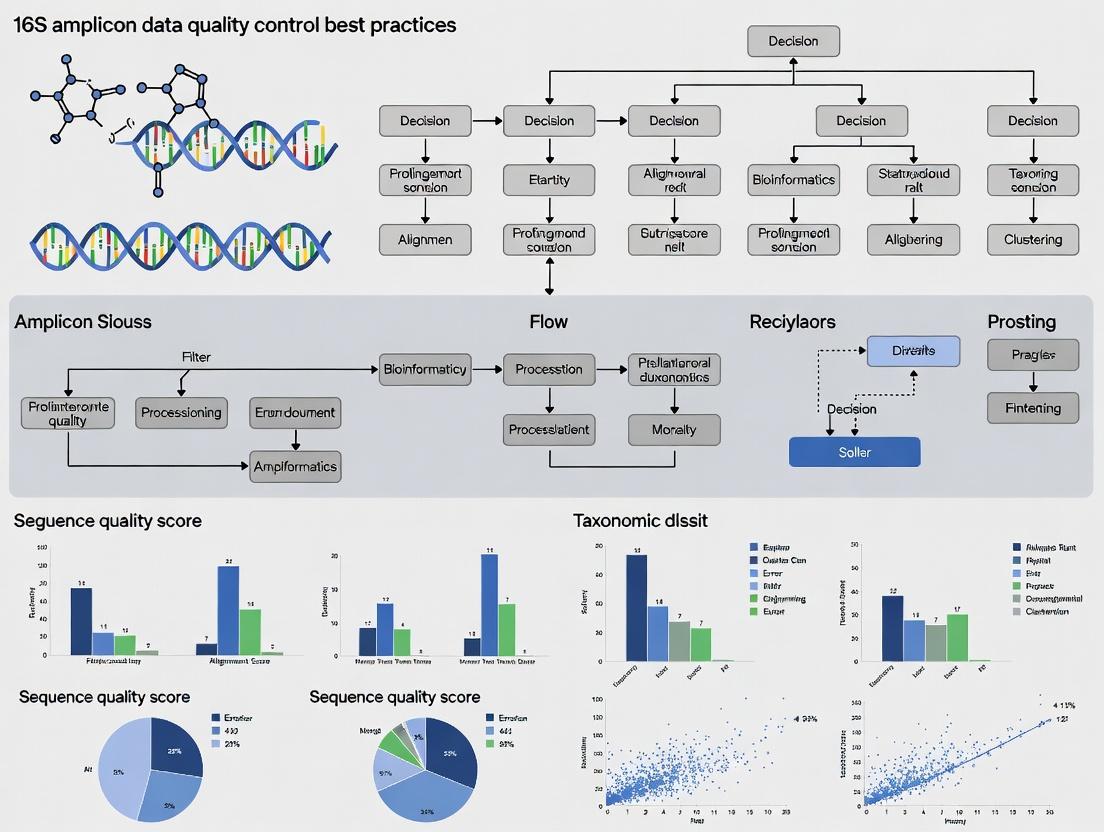
This article provides a detailed, step-by-step guide to 16S rRNA gene amplicon data quality control, tailored for researchers, scientists, and drug development professionals.
16S Amplicon Data Quality Control: A Comprehensive Guide to Best Practices for Microbiome Researchers
Abstract
This article provides a detailed, step-by-step guide to 16S rRNA gene amplicon data quality control, tailored for researchers, scientists, and drug development professionals. Covering foundational concepts through to advanced validation, it addresses critical intents: establishing the importance of QC for robust conclusions, detailing current methodological pipelines (including primer selection and bioinformatics tools), offering solutions for common pitfalls and data optimization, and guiding the validation of results against standards and complementary methods. The goal is to empower users to implement rigorous QC protocols that ensure the reliability and reproducibility of their microbiome data for biomedical and clinical applications.
Why 16S Data QC is Non-Negotiable: Understanding Errors, Bias, and Impact on Microbiome Science
Introduction to 16S Amplicon Sequencing and Its Inherent Vulnerabilities
Technical Support Center
Troubleshooting Guides & FAQs
Q1: My sequencing run returned a very low number of reads. What are the primary causes?
- A: Low read counts typically originate from sample preparation or library quantification steps.
- Poor PCR Amplification: Inhibitors in the DNA extract or suboptimal primer-template matching can cause this. Troubleshooting: Re-quantify gDNA using fluorometry, dilute to reduce inhibitors, and verify primer specificity for your target community.
- Inefficient Library Ligation/Poor Quantification: Inaccurate quantification before pooling leads to under-clustering on the flow cell. Troubleshooting: Use qPCR-based library quantification (e.g., Kapa Biosystems kit) instead of fluorometry for precise molarity determination.
- Sequencer Flow Cell Issue: This is less common but possible. Troubleshooting: Check the sequencer’s quality control metrics and contact the sequencing facility.
- A: Low read counts typically originate from sample preparation or library quantification steps.
Q2: My negative control (blank extraction) shows high read counts and diversity. What does this indicate and how should I proceed?
- A: This signals contamination, a critical vulnerability in 16S sequencing. It invalidates low-biomass results.
- Identify the Source: Review the experimental workflow. Common sources are contaminated reagents (e.g., polymerase, water), consumables, or the laboratory environment.
- Immediate Action: Discard the affected batch of reagents. Implement strict molecular-grade, dedicated reagents for microbiome work. Include multiple negative controls (extraction, PCR, library prep) to trace contamination.
- Data Remediation: In silico, you can subtract ASVs (Amplicon Sequence Variants) present in the negative controls from your samples using tools like
decontam(R package) orSourcetracker. However, this is a correction, not a cure. The experiment should ideally be repeated with cleaner conditions.
- A: This signals contamination, a critical vulnerability in 16S sequencing. It invalidates low-biomass results.
Q3: I observe unexpected dominance of a single bacterial taxon across all my samples. Is this a biological result or an artifact?
- A: This is likely a technical artifact, such as primer bias or contamination.
- Primer Bias Investigation: In silico, check the primer binding regions of the dominant sequence for perfect matches, which can cause preferential amplification.
- Cross-Contamination Check: Was this taxon present in a high-biomass sample processed in the same batch? Review lab practices (separate pre- and post-PCR areas, use of UV hoods, dedicated pipettes).
- Protocol Verification: Ensure PCR cycle number was not excessively high, which can amplify minor contaminants or lead to chimera formation.
- A: This is likely a technical artifact, such as primer bias or contamination.
Q4: My analysis shows a high percentage of chimeric sequences. How can I minimize them experimentally?
- A: Chimeras are hybrid sequences formed during PCR and are a major vulnerability.
- Experimental Protocol to Minimize Chimeras:
- Template Integrity: Start with high-quality, non-degraded genomic DNA.
- Optimized PCR: Use a low number of PCR cycles (25-30 cycles). Employ a high-fidelity, proofreading polymerase.
- Modified Cycling Conditions: Implement a two-step PCR (e.g., 5-10 cycles of annealing/extension at a lower temperature, followed by 15-20 cycles at a higher temperature) or use "Touchdown" PCR to increase initial specificity.
- Experimental Protocol to Minimize Chimeras:
- A: Chimeras are hybrid sequences formed during PCR and are a major vulnerability.
Research Reagent Solutions Table
| Reagent / Material | Function in 16S Amplicon Workflow |
|---|---|
| Magnetic Bead-based Cleanup Kits | Size selection and purification of PCR amplicons and final libraries, removing primers, dimers, and contaminants. |
| PCR Bias-Reduction Polymerase | High-fidelity DNA polymerase (e.g., Q5, KAPA HiFi) to minimize amplification errors and chimera formation. |
| qPCR Library Quantification Kit | Enables accurate molar concentration of final libraries with adapters for precise, equitable pooling and optimal sequencer loading. |
| Mock Microbial Community | Defined mix of genomic DNA from known species. Serves as a positive control to evaluate bias, sensitivity, and accuracy of the entire workflow. |
| DNA LoBind Tubes/Plates | Reduce nonspecific adsorption of low-concentration DNA to plastic surfaces, improving yield and reproducibility. |
| UV-treated Laminar Flow Hood | Provides a sterile, nuclease-free workspace for pre-PCR steps to minimize environmental contamination. |
Summary of Common Data Quality Issues (Quantitative Data)
| Issue | Typical Impact on Data | Recommended QC Threshold |
|---|---|---|
| Chimeric Sequences | False diversity; erroneous OTUs/ASVs. | <1-3% of total reads post-filtering. |
| PCR/Sequencing Errors | Inflated diversity; spurious variants. | Denoising (DADA2, Deblur) recommended over clustering. |
| Contamination (in controls) | False positives, invalidates low-biomass data. | Negative control reads should be <0.1% of sample reads. |
| Primer/Amplification Bias | Skewed community composition. | Use mock community to quantify bias. |
| Low Sequencing Depth | Incomplete community representation. | Rarefaction curves must plateau for alpha diversity. |
Detailed Experimental Protocol: Mock Community Analysis for Workflow Validation
Purpose: To quantify the bias, sensitivity, and error rate of your specific 16S rRNA gene amplicon sequencing workflow.
Materials:
- Commercial mock community genomic DNA (e.g., ZymoBIOMICS Microbial Community Standard).
- All standard 16S library preparation reagents (primers, polymerase, etc.).
- Bioinformatic pipeline (QIIME 2, mothur).
Methodology:
- Processing: Include the mock community as a sample in your next sequencing run, processing it identically to your biological samples (extraction if needed, PCR, library prep, sequencing).
- Bioinformatic Analysis:
- Process raw reads through your standard pipeline (demultiplexing, quality filtering, denoising/OTU picking, taxonomy assignment).
- Generate an ASV/OTU table for the mock community sample.
- Validation Metrics Calculation:
- Recall/Sensitivity: Proportion of expected species that were detected. (Target: >95%).
- Specificity: Absence of species not in the mock community. (Target: 100%).
- Compositional Accuracy: Correlation between the expected relative abundance and the observed relative abundance of each species (e.g., calculate Bray-Curtis dissimilarity between expected and observed profiles. Target: BC < 0.1).
- Error Rate: Percentage of reads assigned to incorrect taxa due to sequencing/PCR errors or database issues.
Workflow Diagram
Title: 16S Amplicon Workflow with Key Vulnerabilities
Bioinformatic QC & Filtering Logic Diagram
Title: Bioinformatic Filtering Decision Tree for 16S Data
Technical Support Center
Troubleshooting Guides & FAQs
Q1: My alpha diversity (e.g., Shannon Index) shows unusually low values and high variability between replicates. What could be the cause? A: This is a classic symptom of inconsistent or insufficient sequence depth per sample, often due to poor library quantification or PCR inhibition. Low read counts skew diversity metrics, making rare taxa appear absent and inflating variability.
- Protocol: Library QC with Fluorometric Quantification
- Reagent: Use a dsDNA high-sensitivity assay kit (e.g., Qubit).
- Method: Quantify purified amplicon libraries according to kit instructions. Do not rely on spectrophotometer (e.g., Nanodrop) readings alone, as they overestimate concentration due to primer-dimers and free nucleotides.
- Normalization: Pool libraries based on fluorometric concentrations, not molarity from bioanalyzer traces alone.
- Verification: Run a pooled library on a bioanalyzer or tapestation to confirm uniform fragment size and the absence of a large primer-dimer peak (~100-150bp).
Q2: I suspect contamination in my negative controls. How do I determine if it's affecting my results and what thresholds should I use? A: Contamination from reagents or cross-sample "bleed" can introduce non-biological signals. Systematic analysis of controls is mandatory.
- Protocol: Contamination Assessment & Filtering
- Sequence Controls: Include both an extraction blank (no template) and a PCR no-template control (NTC) in every batch.
- Data Processing: Process controls through the exact same bioinformatics pipeline as samples.
- Threshold Setting: Apply a prevalence-based filter. For example, remove any ASV/OTU that appears in less than 10% of your true samples but is present in any negative control. Alternatively, use a statistical package like
decontam(R) in prevalence mode. - Quantitative Filter: If controls have high read counts, consider subtracting the maximum count observed in any control from all samples.
Q3: My beta diversity PCoA plot shows strong batch effects clustering by sequencing run or extraction date. How can I diagnose and correct this? A: Technical variation from different reagent lots, personnel, or sequencing runs can overwhelm biological signal. This requires pre- and post-sequencing mitigation.
- Protocol: Batch Effect Mitigation
- Experimental Design: Include inter-run calibrators (the same sample library) across all sequencing batches.
- Bioinformatic Diagnosis: Perform PERMANOVA on your distance matrix using
run_dateorbatchas a factor. A significant p-value confirms the batch effect. - Correction: Use a batch-correction tool such as
ComBat(from thesvaR package) on the ASV/OTU count matrix (after center-log-ratio transformation) or on principal coordinates.
Q4: My positive control (mock community) shows unexpected taxa or imbalances. What does this indicate? A: This indicates bias in your wet-lab or analysis steps. A mock community with known, even abundances is the gold standard for assessing fidelity.
- Protocol: Mock Community Analysis
- Expected vs. Observed: Create a table comparing the theoretical composition to your observed composition.
- Calculate Metrics:
- Recall: % of expected taxa detected.
- Precision: % of detected taxa that were expected.
- Bias: Log-ratio of observed vs. expected abundance for each taxon.
- Action: Low recall suggests primer bias or loss during purification. Low precision indicates contamination. Systematic bias indicates PCR bias.
Table 1: Impact of Read Depth on Alpha Diversity Metrics
| Mean Reads/Sample | Shannon Index (Mean ± SD) | Observed ASVs (Mean ± SD) | Comment |
|---|---|---|---|
| >50,000 | 5.2 ± 0.3 | 250 ± 15 | Stable, reliable metrics. |
| 10,000 | 4.1 ± 0.8 | 180 ± 40 | Higher variability, rare taxa lost. |
| <5,000 | 3.0 ± 1.2 | 95 ± 55 | Metrics are unreliable and skewed. |
Table 2: Contamination Filtering Threshold Impact on Downstream Analysis
| Filtering Method | ASVs Remaining | % ASVs from Controls Removed | PERMANOVA R² (Condition) | PERMANOVA p-value (Batch) |
|---|---|---|---|---|
| No Filter | 1250 | 0% | 0.08 | 0.001 |
| Prevalence-Based | 980 | 12% | 0.15 | 0.003 |
| Prevalence + Quantitative | 875 | 18% | 0.22 | 0.120 |
Experimental Workflow Diagram
Diagram Title: 16S rRNA Amplicon Study Workflow with Critical QC Steps
The Scientist's Toolkit: Research Reagent Solutions
| Item | Function & Rationale |
|---|---|
| Mock Microbial Community (e.g., ZymoBIOMICS) | Contains known, fixed ratios of microbial genomes. Serves as a positive control to quantify PCR/sequencing bias, compute recall/precision, and normalize across runs. |
| UltraPure Water/DNA Suspension Buffer | Certified nuclease-free and microbiome-free water for elution and PCR setup. Critical for reducing background contamination in negative controls. |
| High-Sensitivity Fluorometric DNA Assay Kit (e.g., Qubit) | Accurately quantifies double-stranded DNA without interference from primers, nucleotides, or RNA. Essential for equimolar library pooling. |
| Size-Selective Beads (e.g., AMPure XP) | For post-PCR clean-up to remove primer-dimers (<150bp) which consume sequencing reads and distort library quantification. |
| Phusion High-Fidelity DNA Polymerase | Polymerase with high fidelity and low GC bias to reduce amplification errors and compositional skewing during PCR. |
| Dual-Indexed Barcoded Primers (e.g., Nextera) | Unique barcodes for each sample to multiplex hundreds of samples per run while minimizing index-hopping crosstalk. |
| DNA LoBind Tubes | Reduce DNA adhesion to tube walls, improving yield and consistency, especially for low-biomass samples. |
Technical Support Center: Troubleshooting Guides and FAQs
Frequently Asked Questions
Q1: Our 16S amplicon sequencing shows a very low diversity in one sample batch, but high diversity in others. The protocol was identical. What primer-related issue could cause this? A1: This is a classic sign of primer mismatch bias. The conserved regions targeted by your primer pair may have sequence variants in the specific microbial communities in that batch. This inhibits amplification for certain taxa. Verify your primer sequences against updated databases like SILVA or Greengenes using tools like TestPrime. Consider using a primer set with broader degeneracy or a multi-primer approach.
Q2: We observe significant contamination with Pseudomonas sequences in our negative controls. What are the likely sources? A2: Pseudomonas is a common lab and reagent contaminant. Key sources include:
- DNA Extraction Kits: Some kits have demonstrated bacterial DNA carryover, including from Pseudomonas.
- Polymerase Enzymes: Taq polymerase derived from E. coli can contain traces of genomic DNA.
- Water and Buffers: Nuclease-free water is not always DNA-free.
- Laboratory Environment: Aerosols from high-titer cultures.
- Solution: Implement rigorous negative controls at every stage (extraction, PCR, sequencing). Use validated, "microbiome-grade" reagents that have been treated with DNA-damaging agents (e.g., DNase, UV irradiation). Replicate experiments and use bioinformatics tools (e.g., decontam R package) to identify and subtract contaminant sequences.
Q3: Our sequencing run had a high percentage of chimeric reads (>10%). How can we reduce this during library prep? A3: Chimeras form during PCR when an incomplete amplicon acts as a primer on a heterologous template. To minimize:
- Reduce PCR Cycle Count: Use the minimum number of cycles necessary for library construction (often 25-30, not 35+).
- Optimize Extension Time: Ensure extension time is sufficient for full-length amplicon synthesis.
- Use High-Fidelity Polymerase: Enzymes with 3'→5' exonuclease (proofreading) activity reduce mis-priming and incomplete extensions, though they may produce blunt ends. A blend of high-fidelity and standard Taq is often used.
- Employ Modified Primers: Primer pairs with 5' tags (adapters) can reduce chimera formation compared to primers where the adapter is added in a subsequent PCR.
- Post-Sequencing: Always use a robust chimera detection/removal tool (e.g., DADA2, UCHIME2) in your pipeline.
Q4: We get inconsistent community profiles between technical replicates. Could this be due to sequencing chemistry? A4: Yes, particularly if the inconsistency is in low-abundance taxa. Key factors are:
- Cluster Amplification Bias on the Flow Cell: During bridge amplification on Illumina platforms, some templates amplify more efficiently than others, leading to uneven representation.
- Phasing/Pre-Phasing Errors: As read length increases, a small percentage of molecules get out of sync, causing increased errors and lower quality scores toward the 3' end. This can lead to misassignment or loss of reads.
- Low Complexity Libraries: Amplicon pools have limited nucleotide diversity, especially at the start of reads, which can impair cluster detection and base calling on certain Illumina platforms (e.g., MiSeq v2 kits). Always spike-in with a high-diversity library (e.g., 10-20% PhiX) to correct for this.
Q5: What is the impact of different DNA polymerases on error rates and bias in 16S amplicon generation? A5: The polymerase choice critically impacts both fidelity and representation.
| Polymerase Type | Typical Error Rate (per bp) | Pros for 16S | Cons for 16S |
|---|---|---|---|
| Standard Taq | ~1.1 x 10⁻⁴ | Low cost, adds 3'A overhang for easy cloning. Can handle difficult templates. | Higher error rate, no proofreading, may increase chimeras. |
| High-Fidelity (e.g., Phusion, Q5) | ~4.4 x 10⁻⁷ | Very low error rate, reduces chimeras. | Blunt-end product, may exhibit bias against GC-rich or complex templates, slower. |
| "Microbiome-Optimized" Blends | ~5 x 10⁻⁶ | Engineered for fidelity and reduced bias, often includes Taq for A-tailing. | Higher cost, proprietary formulations. |
Detailed Experimental Protocol: Evaluating Primer Bias with Mock Communities
Objective: To quantify the bias introduced by different 16S rRNA gene primer sets.
Materials (Research Reagent Solutions):
| Item | Function |
|---|---|
| Genomic DNA from Mock Microbial Community (e.g., ZymoBIOMICS, BEI Resources) | Provides a known, stable standard of defined composition to measure bias against. |
| Candidate Primer Pairs (e.g., 27F/338R, 515F/806R, etc.) | Amplify the target hypervariable region(s). Must have Illumina adapter overhangs. |
| High-Fidelity PCR Master Mix | Reduces PCR-introduced errors that could confound bias assessment. |
| Magnetic Bead-based Cleanup System (e.g., AMPure XP) | For reproducible size selection and purification of amplicons. |
| High-Sensitivity DNA Assay Kit (e.g., Qubit, Bioanalyzer) | Accurate quantification for equimolar pooling. |
| Illumina Sequencing Reagents (e.g., MiSeq v3 600-cycle kit) | Provides sufficient read length for common amplicons. |
Methodology:
- Extraction Control: Extract DNA from the mock community according to its protocol. Include a negative extraction control.
- Amplification: For each primer set, perform triplicate 25µL PCR reactions.
- Template: 1-10ng mock community DNA.
- Cycles: 25-28 (avoid plateau phase).
- Include a no-template control (NTC) for each primer set.
- Purification: Clean amplicons with magnetic beads (0.8x ratio). Elute in nuclease-free water.
- Quantification & Pooling: Quantify each product fluorometrically. Pool equimolar amounts of amplicons from each primer set reaction.
- Sequencing: Sequence the pooled library on an Illumina platform with ≥20% PhiX spike-in.
- Bioinformatic Analysis:
- Process reads through a standardized pipeline (DADA2, QIIME2).
- Assign ASVs/OTUs against a curated reference database.
- Calculate Bias: Compare the observed proportions of each taxon in the data to the known proportions in the mock community for each primer set. Use metrics like Mean Absolute Error (MAE) or fold-change deviation.
Visualizations
Title: Experimental Workflow for Primer Bias Evaluation
Title: Major Bias and Error Sources Across 16S Workflow
This guide, part of a broader thesis on 16S rRNA amplicon sequencing quality control best practices, provides troubleshooting support for key data quality metrics.
FAQs & Troubleshooting Guides
Q1: What is a Q-score and what does a low score indicate? A: A Q-score (Phred quality score) is a per-base logarithmic measure of sequencing accuracy. A score of Q30 means a 1 in 1000 chance of an incorrect base call (99.9% accuracy). Low Q-scores at the 3' ends of reads are common due to signal decay.
Q2: Why is my read length shorter than expected after primer trimming? A: This is typically due to poor sample quality (degraded DNA) or issues during PCR amplification (inhibitors, suboptimal cycling conditions). It can also result from overly aggressive quality trimming.
Q3: My chimera rate is extremely high (>20%). What went wrong? A: High chimera rates are primarily caused by over-amplification during PCR (too many cycles) or using too little template DNA. Template reannealing during later PCR cycles leads to incomplete extensions, which then act as primers in subsequent cycles.
Q4: How do I interpret the summary table from my sequencing provider? A: Refer to the following table of benchmark values for 16S amplicon sequencing (e.g., V4 region, Illumina MiSeq):
| Metric | Good/Passing Range | Warning Range | Failure Range | Primary Cause of Failure |
|---|---|---|---|---|
| Q30 Score | ≥ 80% of bases | 70-79% | < 70% | Instrument issue, poor cluster generation |
| Mean Read Length | Within 10bp of expected* | 10-20bp shorter | >20bp shorter | Degraded DNA, PCR failure |
| Chimera Rate | < 5% | 5-10% | > 10% | Excessive PCR cycles, low template |
| Total Reads per Sample | ≥ 50,000 | 10,000 - 50,000 | < 10,000 | Quantification error, pooling issue |
*Example: For a 250bp V4 amplicon, expect ~250bp raw reads.
Q5: Can I proceed with analysis if one metric fails? A: It depends. Low Q-scores can be filtered. Short reads may truncate the region. High chimeras must be removed prior to analysis, but if the rate is too high, it may irreparably reduce your sequence depth. Re-sequence if possible.
Detailed Protocols
Protocol 1: Calculating and Interpreting Q-scores from FASTQ Files
Method: Use tools like FastQC or bioinformatics quality control in Python.
- For each base position in the read, the ASCII quality character is converted to a Phred score:
Q = ord(ascii_char) - 33(for Sanger/Illumina 1.8+). - Calculate the average Q-score per base position across all reads.
- Visualize the per-base sequence quality. Expect a drop in scores towards the 3' end.
- Apply a quality trim (e.g., using
Trimmomaticorcutadapt) to remove bases below a threshold (e.g., Q20).
Protocol 2: Determining Chimera Rates with UCHIME or VSEARCH Method: De novo chimera detection followed by filtering.
- Dereplicate sequences (
vsearch --derep_fulllength). - Sort by abundance (
vsearch --sortbysize). - Chimera detection: Run
vsearch --uchime_denovoon the sorted, dereplicated sequences. - Filter: Remove chimeric sequences from your main sequence file using the output chimera list.
- Calculate Rate:
(Number of chimeric sequences / Total sequences before filtering) * 100.
Visualization: 16S Amplicon QC Workflow
Diagram 1: Core 16S Amplicon Data QC Workflow
Diagram 2: Chimera Formation via Incomplete PCR Extension
The Scientist's Toolkit: Research Reagent Solutions
| Item | Function in 16S Amplicon QC |
|---|---|
| High-Fidelity DNA Polymerase (e.g., Q5, KAPA HiFi) | Reduces PCR errors and chimera formation due to superior processivity and proofreading. |
| Validated Primer Set (e.g., 515F/806R for V4) | Ensures specific amplification of target region; reduces off-target products. |
| Quantitation Kit (Qubit dsDNA HS Assay) | Accurately measures DNA concentration for optimal template input into PCR. |
| PCR Purification or Size-Selection Beads (SPRI) | Removes primer dimers and non-specific products to ensure clean library preparation. |
| Phix Control v3 (Illumina) | Balances diversity on flow cell for improved cluster detection and base calling. |
| DNeasy PowerSoil Pro Kit (Qiagen) | Standardized extraction for difficult samples; removes PCR inhibitors. |
The Critical Link Between Rigorous QC and Reproducible Microbiome Research
Technical Support Center
Troubleshooting Guides & FAQs
Q1: Our negative controls show high-amplitude 16S rRNA gene amplification. What are the likely causes and how can we resolve this? A: This indicates contamination, often from reagents or the lab environment. To resolve:
- Use Ultrapure Reagents: Employ commercially available, DNA-free, PCR-grade water and buffers certified for microbiome work.
- Include Rigorous Controls: Process multiple extraction blanks (no sample) and no-template PCR controls (NTCs) in every batch.
- Analyze Separately: Sequence controls alongside samples and apply bioinformatic contamination removal tools (e.g.,
decontamin R, prevalence or frequency method) before downstream analysis. If control reads exceed 1% of the average sample library size, the batch should be investigated and potentially re-run. - Dedicated Workspace: Use a UV PCR hood for master mix preparation, separate from post-PCR and extraction areas.
Q2: We observe significant batch effects across different sequencing runs. How can we minimize and correct for this? A: Batch effects arise from technical variation. Mitigation strategies include:
- Experimental Design: Distribute samples from all experimental groups across multiple sequencing runs/lanes.
- Use of Technical Replicates: Include a homogenized sample or a mock microbial community as an inter-run calibrator in every batch.
- Bioinformatic Correction: Utilize tools designed for batch correction, such as
ComBat-seq(part of thesvaR package), which models batch effects and adjusts counts. Note: This should be applied after core microbiome processing (DADA2, decontamination) but before diversity metrics or differential abundance testing.
Q3: Our replicate sample variability is higher than expected. What steps should we check in our wet lab protocol? A: High inter-replicate variability often stems from sample collection or early processing steps.
- Sample Homogenization: For solid samples (stool, soil), use a validated homogenization method (e.g., bead beating with defined bead size, speed, and time) to ensure a consistent microbial lysis across replicates.
- Standardized Input: Quantify input material by mass (for solids) or volume (for liquids) with high precision. Document any deviations.
- DNA Extraction Kit Lot Tracking: Record the lot numbers of all extraction and purification kits. Test new lots against old ones using a standard sample to identify kit-induced variability.
- PCR Cycle Number: Minimize PCR cycles (typically 25-35 cycles) to reduce stochastic amplification bias and chimera formation. Use a polymerase with high fidelity.
Q4: After bioinformatic processing, our Positive Control (Mock Community) does not match the expected composition. What does this signify? A: This indicates bias or error in your wet-lab or computational pipeline.
- Check 1: Verify the expected composition of your mock community (e.g., ZymoBIOMICS, ATCC MSC). Compare your observed relative abundances at the genus or species level.
- Check 2: Ensure your bioinformatics pipeline (from primer trimming to ASV/OTU clustering and taxonomy assignment) is using the correct reference database (e.g., SILVA, Greengenes) and version that matches your primer set (e.g., V4 region of 16S).
- Action: A significant deviation (e.g., a genus expected at 20% appearing at <5% or >40%) suggests PCR bias or database misalignment. You may need to optimize primer choice or use a mock-community-aware error correction in DADA2.
Experimental Protocols for Key QC Experiments
Protocol 1: Processing and QC of a Serial Dilution Mock Community
- Objective: To assess the sensitivity, limit of detection, and quantitative accuracy of the entire 16S amplicon pipeline.
- Materials: Defined mock community (e.g., ZymoBIOMICS Microbial Community Standard), DNA extraction kit, Qubit fluorometer, 16S rRNA gene primer set, polymerase.
- Method:
- Serially dilute the mock community genomic DNA across a 4-log range (e.g., from 1 ng/µL to 0.001 ng/µL).
- Process each dilution in triplicate through the identical PCR and sequencing protocol used for your samples.
- Sequence all replicates in the same run.
- Bioinformatic Analysis: Process data through your standard pipeline. For each dilution, calculate:
- Observed Richness: Number of ASVs/OTUs detected vs. expected.
- Relative Abundance Correlation: Pearson correlation between observed and expected relative abundances.
- Limit of Detection: The lowest dilution at which all expected community members are detected.
Protocol 2: Inter-Batch Calibration Using a Homogenized Control Sample
- Objective: To monitor and correct for technical variation between sequencing runs or extraction batches.
- Materials: A large, homogenized biological sample (e.g., pooled stool, soil), aliquoted for long-term use.
- Method:
- Create Control Aliquots: From the homogenized material, create single-use aliquots for DNA extraction.
- Include in Every Batch: In every extraction batch (max 1-2 per week), include one control aliquot. Subsequently, include its extracted DNA in every PCR/sequencing run.
- Analysis: After processing, perform Principal Coordinates Analysis (PCoA) on a beta-diversity metric (e.g., Weighted UniFrac). The control samples should cluster tightly. Dispersion indicates batch effect strength. Use these controls as a stable reference for tools like
ComBat-seq.
Data Presentation
Table 1: Impact of QC Steps on Data Reproducibility (Hypothetical Data from Mock Community Analysis)
| QC Step Implemented | Correlation (r) to Expected Composition* | Coefficient of Variation (CV) across Replicates* | ASVs Detected in NTCs* |
|---|---|---|---|
| No Specific QC (Baseline) | 0.65 | 25% | 15 |
| Ultrapure Reagents + Dedicated Hood | 0.78 | 18% | 3 |
| Baseline + Bioinformatic Decontamination | 0.80 | 22% | 0 |
| All Steps (Rigorous QC) | 0.95 | 8% | 0 |
Data represents simulated averages based on common findings in recent literature (e.g., *Microbiome, ISME J).
Table 2: Essential Research Reagent Solutions for 16S rRNA Gene Amplicon QC
| Item | Function | Example/Note |
|---|---|---|
| DNA-free Water | Serves as the elution and master mix component; critical for reducing background contamination. | Qiagen PCR Grade Water, Invitrogen UltraPure DNase/RNase-Free Water. |
| Certified Low-Biomass Extraction Kits | Optimized for maximal lysis with minimal contaminant DNA carryover. | Qiagen DNeasy PowerSoil Pro Kit, MoBio PowerLyzer PowerSoil Kit. |
| Defined Mock Community (gDNA) | Validates entire workflow from extraction to bioinformatics for accuracy and sensitivity. | ZymoBIOMICS Microbial Community Standard, ATCC MSA-1000. |
| High-Fidelity Polymerase | Reduces PCR errors and chimera formation, improving ASV accuracy. | Q5 Hot Start High-Fidelity (NEB), Phusion Plus (Thermo). |
| Quantification Standards | Accurately measures DNA concentration for standardized input. | Qubit dsDNA HS Assay Kit (preferred over UV absorbance). |
| Indexed Primers & Sequencing Kit | Enables multiplexing; kit quality affects read length and quality scores. | Illumina 16S Metagenomic Sequencing Library Prep, Nextera XT Index Kit. |
Mandatory Visualizations
Title: 16S Amplicon Workflow with Critical QC Checkpoints
Title: Balanced vs Confounded Batch Study Design
The Modern QC Pipeline: Step-by-Step Protocols from Raw Reads to Analysis-Ready Data
FAQs & Troubleshooting Guide
Q1: My FastQC report shows "Per base sequence quality" is a red 'FAIL' for my 16S amplicon reads (e.g., V3-V4 region). What does this mean and how do I fix it? A: A red 'FAIL' typically indicates a significant drop in median quality scores (often below Q20) towards the ends of reads. For 16S sequencing, this is common due to diminishing signal from sequencing cycles.
- Primary Cause: Sequencing chemistry artifacts or low-diversity library issues common in amplicon pools.
- Action:
- Trimming: Use a quality-aware trimmer like Trimmomatic or Cutadapt to remove low-quality bases from the 3' ends. A standard starting point is to trim where average quality drops below Q20.
- Review MultiQC: Check if the issue is systematic across all samples. If only one sample fails, it may be a library-specific issue.
- Confirm Adapter Content: Poor quality often coincides with adapter read-through. Ensure adapter trimming is performed.
Q2: After running FastQC on multiple samples, the volume of reports is overwhelming. How can I efficiently compare quality across my entire 16S dataset? A: This is the exact use case for MultiQC.
- Solution: Run MultiQC in the directory containing all your FastQC output (
multiqc .). It will aggregate key metrics into a single, interactive HTML report. - Troubleshooting MultiQC Output: If MultiQC fails to find reports, ensure the FastQC output files have the standard
.zipor_fastqc.htmlsuffix. Usemultiqc -f .to force a re-run.
Q3: The "Per sequence GC content" module in FastQC shows a sharp, abnormal peak for my 16S amplicon data. Is this a problem? A: Not necessarily. A sharp, unimodal peak in GC content is expected for 16S amplicon data because you are sequencing a conserved, specific genomic region across all bacteria in the sample.
- Interpretation: A single, narrow peak is a "PASS" for amplicon studies, indicating high specificity and lack of contamination from organisms with vastly different GC content. A broad or multi-peak distribution would be a cause for concern, suggesting contamination or poor amplification specificity.
Q4: My "Sequence Duplication Levels" are very high (>50%). Does this mean I have over-sequenced my 16S library? A: High duplication levels are standard and expected in 16S amplicon sequencing due to the limited diversity of the starting template (PCR amplicons of the same region).
- Key Distinction: In whole-genome sequencing, high duplication often indicates PCR over-amplification or insufficient sequencing depth. In 16S amplicon sequencing, it reflects the natural outcome of amplifying a conserved region. Focus on "De-duplication" in your DADA2 or Deblur pipeline, which identifies and merges biologically identical reads, rather than the FastQC duplication warning.
Q5: How do I differentiate between a systematic sequencing run failure and a single bad sample from the FastQC/MultiQC reports? A: Use MultiQC's trend plots and compare samples across the run.
- Systematic Issue (e.g., Flow Cell Defect): All samples will show a similar pattern of quality drop at a specific cycle, or uniformly low scores. This may require discussion with your sequencing facility.
- Single Sample Issue: One sample will be an obvious outlier in multiple modules (Quality Scores, GC Content, Adapter Content, Total Sequences). This sample likely had a library preparation problem and may need to be excluded or reprocessed.
Key Metrics & Interpretation Table
The following table summarizes critical FastQC modules and their interpretation in the context of 16S amplicon sequencing.
| FastQC Module | Typical "Good" Result (WGS) | Typical 16S Amplicon Result | Reason for 16S Deviation | Recommended Action for 16S QC |
|---|---|---|---|---|
| Per Base Sequence Quality | High scores (Q>30) across all bases. | Quality drop at read ends. | Sequencing chemistry limits. | Quality-based trimming of 3' ends. |
| Per Sequence GC Content | Roughly normal distribution. | Sharp, single peak. | Low sequence diversity from amplicon. | None required. Confirm single peak. |
| Sequence Duplication Levels | Low percentage of duplicates. | Very high duplication (>50%). | PCR amplification of identical templates. | Use DADA2/Deblur for biological deduplication. |
| Overrepresented Sequences | Few to none. | Common (primers, adapters). | Known primer sequences are expected. | Must identify and trim adapters/primers. |
| Adapter Content | Low to zero. | May increase at read ends post-quality drop. | Read-through after amplicon sequence ends. | Trim adapters with a dedicated tool (Cutadapt). |
Experimental Protocol: Integrated Raw Read QC for 16S Data
This protocol outlines the steps from receiving sequencing data to generating a cleaned feature table, with embedded QC.
1. Initial Quality Assessment & Report Aggregation
2. Primer/Adapter Trimming & Quality Filtering
- Tool: Cutadapt (for primers) + Trimmomatic (for quality) or a single-tool like
fastp. - Example (Cutadapt for V3-V4 primers):
- Example (Trimmomatic for quality):
3. Post-Cleaning QC Verification
4. Denoising & ASV/OTU Generation (with built-in QC)
- Tool: DADA2 (in R). This step inherently performs error modeling, read merging, and chimera removal.
Workflow Diagram
Title: 16S Amplicon Raw Read QC & Processing Workflow
The Scientist's Toolkit: Research Reagent Solutions
| Item | Function in 16S Amplicon QC |
|---|---|
| Cutadapt | Software tool to find and remove primer/adapter sequences from raw reads. Critical for preventing false merges and downstream errors. |
| Trimmomatic / fastp | Quality filtering tools that remove low-quality bases from read ends and discard reads below a length threshold. |
| DADA2 | R package that models and corrects Illumina-sequencing errors, merges paired-end reads, removes chimeras, and infers Amplicon Sequence Variants (ASVs). |
| QIIME 2 | A comprehensive, plugin-based microbiome analysis platform that can encapsulate the entire QC and processing pipeline (using plugins for demux, cutadapt, DADA2, etc.). |
| Phenol:Chloroform:Isoamyl Alcohol | Used in manual DNA extraction protocols to separate proteins and lipids from nucleic acids, providing high-quality template DNA for PCR. |
| Magnetic Bead-based Cleanup Kits | (e.g., AMPure XP). Used for PCR product purification to remove primers, dimers, and salts before library quantification and pooling. Essential for even sequencing depth. |
| Quant-iT PicoGreen dsDNA Assay | A fluorescent dye used to accurately quantify double-stranded DNA library concentration after cleanup, ensuring optimal loading onto the sequencer. |
| PhiX Control v3 | A spike-in control for Illumina runs. Adds sequence diversity to low-diversity amplicon libraries, improving cluster identification and base calling accuracy. |
Welcome to the Technical Support Center for Amplicon Sequence Quality Control. This resource, developed as part of a doctoral thesis on 16S amplicon data quality control best practices, provides targeted troubleshooting for primer and adapter trimming.
Frequently Asked Questions & Troubleshooting Guides
Q1: My post-trimming sequence length is much shorter than expected. What are the primary causes? A: This is often due to over-trimming. Common causes and solutions:
- Cause 1: Overlapping Primer/Adapter Sequences. If your adapter sequence partially matches your primer or gene region, the trimmer may remove valid sequence.
- Solution: Use the
--overlapparameter in Cutadapt or-Oin Trimmomatic to require a minimum overlap (e.g., 3-5 bp) for trimming. This increases specificity.
- Solution: Use the
- Cause 2: Low Quality Bases Within the Amplicon. Aggressive quality trimming can remove internal bases.
- Solution: Perform quality trimming before primer/adapter removal. Use a sliding window approach (e.g., Trimmomatic's
SLIDINGWINDOW:4:20) that trims only when average quality drops below a threshold within the window.
- Solution: Perform quality trimming before primer/adapter removal. Use a sliding window approach (e.g., Trimmomatic's
- Cause 3: Incorrect Primer Sequence Provided. A single nucleotide mismatch can prevent trimming, leading to retention of the full primer and skewed length reports.
- Solution: Verify your primer sequence files for typos. Consider allowing 1-2 mismatches (
-e 0.1in Cutadapt) to account for synthesis errors or minor sequence variants.
- Solution: Verify your primer sequence files for typos. Consider allowing 1-2 mismatches (
Q2: Should I allow mismatches when specifying primer sequences, and if so, how many? A: Yes, allowing a small number of mismatches is a recommended best practice to account for sequencing errors and natural variation. However, the value must be balanced to avoid non-specific trimming.
- Recommendation: Start with a 10-15% error rate (e.g.,
-e 0.1in Cutadapt for 1 mismatch in a 10bp overlap). For longer primer matches (>20 bp), you can be more stringent (e.g.,-e 0.05). - Critical Parameter: Always pair mismatch allowance with a minimum overlap requirement (
-Oor--overlap) to ensure the match is meaningful. A typical setting is-e 0.1 -O 5.
Q3: What is the difference between "trimming" and "cutting" primers, and which should I use? A: This distinction is crucial for downstream analysis.
- Trimming: Removes the primer/adapter sequence only if it is found. If not found, the read is kept unchanged. This is the standard mode in tools like Cutadapt.
- Cutting (or Hard-Trimming): Removes a fixed number of bases from the start and/or end of every read, regardless of sequence. Use this when you are absolutely certain of your amplicon length and primer position (e.g., for standardized mock communities).
- Recommendation: For environmental 16S studies with length variation, use sequence-based trimming. Reserve cutting for controlled quality assessment experiments.
Q4: How do I handle paired-end reads where only one read contains the adapter? A: Unbalanced trimming in paired-end reads can cause them to be discarded during merging, drastically reducing data yield.
- Solution: Use the
--pair-filteroption in Cutadapt. The setting--pair-filter=anywill discard a pair if either read fails a quality filter.--pair-filter=bothis more lenient. For maximum retention, run trimming in two passes: first on read 1, then on read 2, using the-A/-B/-Goptions to trim adapter sequences that may have been ligated in the reverse orientation.
Quantitative Tool Comparison
The following table summarizes key parameters and performance metrics for common trimming tools, as benchmarked in recent literature.
Table 1: Comparison of Primer/Adapter Trimming Tools for 16S Amplicon Data
| Tool | Primary Use | Key Strength for 16S | Critical Parameter for Specificity | Typical Runtime (1M PE reads)* |
|---|---|---|---|---|
| Cutadapt | Adapter/Primer Removal | Precise sequence matching, flexible error tolerance | -O (min overlap), -e (error rate) |
2-3 minutes |
| Trimmomatic | General Quality & Adapter Trimming | Integrated quality control in one step | LEADING, TRAILING, SLIDINGWINDOW |
3-5 minutes |
| fastp | All-in-one QC | Ultra-fast, integrated adapter & poly-G trimming | --detect_adapter_for_pe, --trim_poly_g |
<1 minute |
| Atropos | Adapter/Primer Removal | Supports multiple alignment algorithms | -a, -A, --aligner |
4-6 minutes |
*Runtime benchmarks are approximate and depend on system specifications.
Detailed Experimental Protocol: Validating Trimming Efficiency
Protocol: Spike-in Control for Trimming Accuracy This protocol is designed to empirically measure primer/adapter trimming performance within a 16S sequencing run.
Objective: To quantify the false-negative (missed trim) rate of your trimming parameters. Materials: See "Research Reagent Solutions" below. Methodology:
- Spike-in Oligo Design: Synthesize a 300 bp dsDNA fragment that is phylogenetically neutral (does not match your target sample) but contains your exact forward and reverse primer sequences at its 5' and 3' ends, respectively.
- Library Preparation: Spike this control fragment into your genomic DNA extract at a known molar ratio (e.g., 1% of total DNA) prior to PCR amplification.
- Sequencing & Processing: Sequence the library normally. Process the raw data through your standard trimming pipeline.
- Analysis:
- Map all post-trimmed reads to the reference spike-in sequence.
- Calculate the percentage of spike-in reads that retain any primer sequence (≥ 5 bp match) after trimming. This is your false-negative rate.
- Examine a subset of your genuine 16S reads to check for over-trimming (loss of conserved region bases).
Visualization of Workflows
Diagram 1: Decision Workflow for Trimming Parameter Selection
Diagram 2: Amplicon Read Processing Stages
The Scientist's Toolkit: Research Reagent Solutions
Table 2: Essential Materials for Trimming Validation Experiments
| Item | Function in Validation | Example/Note |
|---|---|---|
| Synthetic Spike-in DNA Control | Contains known primer sequences to empirically measure trimming efficiency. | Custom 300 bp gBlock or dsDNA fragment. Must differ from sample background. |
| Quantitative PCR (qPCR) Assay | Precisely quantifies spike-in DNA concentration for accurate spiking. | Assay specific to the spike-in fragment sequence. |
| Mock Microbial Community (DNA) | Provides a known truth set for evaluating over-trimming impact on community structure. | ZymoBIOMICS or ATCC Mock Community Standards. |
| Benchmarking Software | Automates calculation of precision/recall for trimming. | seqkit for sequence stats, custom Python/R scripts for analysis. |
| High-Fidelity Polymerase | Minimizes PCR errors in spike-in and mock community amplicons. | Q5, KAPA HiFi, or Phusion. Critical for accurate controls. |
Technical Support Center: Troubleshooting & FAQs
Q1: During DADA2 denoising, I receive the error: "Error in dada(...) : Sequence abundances do not agree with the denoised output. What does this mean and how do I resolve it?"
A1: This error typically indicates sample inference failure due to an insufficient number of reads after quality filtering or a severe drop in quality. First, inspect your quality profiles using plotQualityProfile(). Ensure your truncation parameters (truncLen) are appropriate and that you are not trimming into low-quality regions too aggressively. Increase the maxEE parameter to allow more expected errors per read. Also, verify that you have not accidentally swapped forward and reverse read files.
Q2: When running Deblur, the process is extremely slow on my large dataset. Are there parameters to improve performance?
A2: Yes. Deblur can be computationally intensive. Use the --jobs-to-start parameter to parallelize across multiple cores. For 16S data, ensure you are using the appropriate reference positive seeds (e.g., 88_otus.fasta for 88% OTU clustering reference) to reduce the search space. Pre-filtering your sequences to remove those with ambiguous bases (N) and very low-quality reads using tools like quality-filter before input into Deblur can significantly speed up the workflow.
Q3: In traditional OTU clustering with VSEARCH/UPARSE, I get very few OTUs compared to expected diversity. What could be the issue?
A3: This is often caused by overly aggressive chimera removal or clustering threshold mismatch. First, check the chimera detection step. Consider using a reference database (like SILVA) for chimera checking instead of de novo. Ensure the clustering identity threshold (--id) matches your region (e.g., 97% for full-length 16S). Also, check for low sequence count samples that may be discarded during singleton or low-count filtering; you may need to adjust the --minsize parameter.
Q4: After running any pipeline, my final feature table has samples with zero reads. Why did this happen?
A4: This is a sample drop-out issue. It commonly occurs during stringent quality filtering or denoising when all reads from a sample are removed. Diagnose by checking read counts after each step (trimming, filtering, denoising/merging). Loosen filtering criteria (maxEE, truncQ) for the affected samples in a separate run. Ensure your sample metadata file matches the sequence file names exactly. Batch effects from sequencing runs can also cause this; process problematic samples separately if needed.
Q5: How do I choose between DADA2's pool = "pseudo" and pool = FALSE options?
A5: Use pool = FALSE (independent sample inference) for large datasets (>100 samples) or when computational resources are limited. Use pool = "pseudo" for smaller datasets or when you have low-biomass samples with very few unique sequences; pseudo-pooling improves sensitivity to rare variants by sharing information between samples. Do not use pool = TRUE (full pooling) on large datasets due to excessive memory use.
Q6: I see "WARNING: Read ... too short after truncation." in my Deblur log. Should I be concerned?
A6: This warning indicates some reads were shorter than your specified trim length. If the number of such warnings is low (<1% of reads), it is generally not a problem. If high, revisit your trim length setting. Use the --mean-error parameter to adjust the acceptable error rate for truncation. Ensure your input sequences have been properly trimmed of primers and adapters prior to Deblur.
Quantitative Comparison Table
| Feature | DADA2 | Deblur | Traditional OTU Clustering (VSEARCH/UPARSE) |
|---|---|---|---|
| Core Algorithm | Parametric error model & sample inference. | Error profile based on positive filters & a greedy heuristic. | Distance-based clustering (e.g., at 97% identity). |
| Output Unit | Amplicon Sequence Variant (ASV). | Amplicon Sequence Variant (ASV). | Operational Taxonomic Unit (OTU). |
| Resolution | Single-nucleotide difference. | Single-nucleotide difference. | Defined by clustering threshold (e.g., 97%). |
| Chimera Removal | Integrated, based on consensus method. | Integrated, via positive filter alignment. | Separate step (e.g., uchime_denovo or uchime_ref). |
| Handles Indels | Yes (via alignment in core algorithm). | Yes (via sequence alignment to positive filter). | No, typically treats indels as mismatches. |
| Typical Run Time | Medium to High. | Low to Medium (after initial quality filtering). | Low. |
| Key Parameter | maxEE, truncLen, pool. |
trim_length, mean_error. |
--id (clustering %), --maxaccepts. |
| Denoises Sequencing Errors | Yes. | Yes. | No, errors can inflate OTU counts. |
| Requires Parameter Tuning | High (per-dataset quality inspection). | Medium (mainly trim length). | Low. |
Experimental Protocol: Benchmarking Denoising/Clustering Methods
Objective: To compare the performance of DADA2, Deblur, and Traditional OTU Clustering on a mock community 16S rRNA gene amplicon dataset.
Materials:
- Mock community FASTQ files (forward and reverse reads).
- Known reference sequences and composition for the mock community.
- Computing environment with QIIME 2, DADA2, and VSEARCH installed.
Procedure:
- Data Preparation: Import paired-end reads into QIIME 2 using
qiime tools import. Create a sample metadata file. - Primer Trimming: Trim primers using
qiime cutadapt trim-paired. - Method-Specific Processing:
- DADA2: Run
qiime dada2 denoise-pairedwith parameters set based onplotQualityProfileoutput (e.g.,--p-trunc-len-f 240 --p-trunc-len-r 200 --p-max-ee 2). Output: ASV table and representative sequences. - Deblur: First, join paired reads using
qiime vsearch join-pairs. Then, quality filter withqiime quality-filter q-score. Runqiime deblur denoise-16Swith--p-trim-length 400. - Traditional OTU Clustering: Use the DADA2-denoised but non-chimera-removed sequences as input. Cluster at 97% identity using
qiime vsearch cluster-features-de-novowith--p-perc-identity 0.97.
- DADA2: Run
- Evaluation: For each output table (ASV/OTU), compare to the known mock community truth set using
qiime fragment-insertion seppandqiime diversity beta-correlationor calculate recall (sensitivity) and precision (positive predictive value) of taxa identification.
Workflow Diagrams
Diagram 1: Comparative Analysis Workflow
Diagram 2: DADA2 Sample Inference Algorithm
The Scientist's Toolkit: Essential Research Reagents & Materials
| Item | Function in 16S rRNA Amplicon QC & Analysis |
|---|---|
| Mock Community Genomic DNA | Positive control containing known bacterial sequences at defined ratios. Critical for benchmarking pipeline accuracy (recall/precision). |
| Nuclease-free Water | Used for PCR and library preparation dilutions. Prevents sample degradation and contamination. |
| High-Fidelity DNA Polymerase | Reduces PCR errors during initial amplification, providing more accurate starting sequences for denoising algorithms. |
| Dual-Indexed PCR Primers | Allows multiplexing of samples. Correct trimming of these indices is essential for demultiplexing before denoising. |
| AMPure XP Beads | For post-PCR cleanup and size selection. Ensures removal of primer dimers and non-target fragments, improving read quality. |
| PhiX Control v3 | Spiked into sequencing runs for quality monitoring and error rate calibration, indirectly supporting denoising. |
| Qubit dsDNA HS Assay Kit | Accurately quantifies DNA library concentration before sequencing to ensure balanced sample representation. |
| Bioanalyzer DNA High Sensitivity Kit | Assesses library fragment size distribution and quality, crucial for determining trim length parameters. |
| SILVA or Greengenes Database | Reference databases used for taxonomy assignment, chimera checking, and evaluation of results. |
Troubleshooting Guides & FAQs
Q1: After running UCHIME in de novo mode, an extremely high percentage of my sequences are flagged as chimeric. Is this expected? A: This can be normal for certain complex communities or datasets with high sequencing depth. The de novo mode is sensitive. First, verify your input data quality. High rates often indicate issues upstream:
- Primer/Adapter Contamination: Ensure these have been properly trimmed.
- Poor Quality Reads: Apply strict length and quality filters (e.g., maxEE=1.0, min length=200bp) before chimera checking.
- Overly Aggressive Settings: The default
-abskewparameter is 2.0. For your data, try increasing it to 3.0 or 4.0, which makes the algorithm more conservative. Re-run and compare the number of chimeras detected.
Q2: I get "Alignment too short" or "No candidates" errors in VSEARCH when using the --uchime_ref option. What does this mean?
A: This indicates the reference database sequences do not sufficiently align to your query sequences.
- Cause 1: Database Mismatch. You are likely using an inappropriate reference database (e.g., using a generalist like Greengenes/SILVA for a specialized fungal ITS study). Ensure your database matches your target gene region and taxonomy.
- Cause 2: Poor Sequence Quality. Input sequences may be too short, contain ambiguous bases, or be of very low quality. Re-inspect your filtering and trimming steps.
- Solution: Use the
--dbmask noneand--qmask noneoptions to disable masking and allow full alignments for diagnosis. Always use the same version of a database for training classifiers and chimera checking.
Q3: Should I use UCHIME (de novo), reference-based, or both methods for optimal results in my 16S analysis pipeline? A: Best practice, as established in recent methodology papers, is to use a combined approach. The consensus is that reference-based methods perform better when a high-quality, curated database is available, but de novo methods catch novel chimeras not in databases. The recommended workflow is to run both and take the union of the identified chimeric sequences for removal. Studies show this hybrid approach yields the highest sensitivity without disproportionate loss of biological diversity.
Q4: How do I choose between the "gold" and "specific" reference databases in UCHIME/VSEARCH?
A: The --db argument requires a specific formatted database.
- Gold Standard Databases (e.g.,
gold.fa): Used for evaluating the chimera detection algorithm itself, not for routine analysis. - Taxonomy-Specific Databases (e.g., SILVA, UNITE, RDP): Used for actual analysis. You must download the reference sequence file (e.g.,
silva.nr_v138.align) and format it for use with VSEARCH (--uchime_ref). For user experiments, always use the taxonomy-specific databases.
Q5: Does the order of quality filtering and chimera checking matter? A: Absolutely. Chimera detection must be performed AFTER rigorous quality control but BEFORE clustering or OTU picking. The standard pipeline order is: 1) Primer/Adapter removal, 2) Quality filtering & merging (for paired-end reads), 3) Chimera detection & removal, 4) Clustering/Denoising, 5) Taxonomy assignment.
Experimental Protocols & Data
Protocol 1: Standard Chimera Detection Workflow using VSEARCH
This protocol is designed for 16S rRNA gene amplicon data post quality-filtering and merging.
- Input: Quality-filtered FASTA file (
seqs.clean.fasta). - Dereplicate: Sort sequences by abundance.
Chimera Detection (de novo):
Chimera Detection (Reference-based): Download and format the SILVA reference database.
Final Output:
final_nonchimeras.fastais used for downstream OTU clustering or ASV analysis.
Protocol 2: Comparative Evaluation of Chimera Detection Tools
A cited methodology for benchmarking chimera tools within a thesis on QC best practices.
- Sample Data: Generate an in silico mock community dataset with a known proportion (e.g., 20%) of simulated chimeras using tools like
BELLEROPHONorMetaSim. - Tool Execution: Process the mock data through three pipelines: UCHIME (de novo), VSEARCH (uchime_ref), and a hybrid union approach.
- Metrics Calculation: For each pipeline, calculate:
- Sensitivity: (True Chimeras Detected) / (Total Chimeras in Mock).
- Precision: (True Chimeras Detected) / (Total Sequences Flagged as Chimeric).
- False Positive Rate: (Biological Sequences Incorrectly Flagged) / (Total Biological Sequences).
- Analysis: Compare metrics across tools (see Table 1) and statistically evaluate performance using McNemar's test.
Table 1: Performance Metrics of Chimera Detection Methods on an In Silico Mock Community (n=50,000 sequences, 20% chimeras)
| Method | Reference Database | Sensitivity (%) | Precision (%) | False Positive Rate (%) | Runtime (min) |
|---|---|---|---|---|---|
| UCHIME (de novo) | Not Applicable | 92.1 | 85.3 | 0.8 | 12 |
| VSEARCH (uchime_ref) | SILVA v138 | 88.7 | 96.5 | 0.2 | 8 |
| Hybrid (Union) | SILVA v138 | 95.4 | 90.1 | 0.5 | 20 |
Visualizations
Title: 16S Amplicon QC Workflow with Chimera Detection
Title: Reference-Based Chimera Detection Logic
The Scientist's Toolkit: Research Reagent Solutions
| Item | Function in Chimera Detection & Removal |
|---|---|
| Curated Reference Database (e.g., SILVA, RDP, UNITE) | Provides a set of verified, high-quality biological sequences used as a baseline to identify anomalous (chimeric) sequences by alignment and comparison. Essential for reference-based methods. |
Gold Standard Chimera Database (gold.fa) |
A controlled set of known chimeric and non-chimeric sequences used exclusively for benchmarking and validating the performance of chimera detection algorithms, not for routine analysis. |
| Quality-Filtered & Dereplicated FASTA File | The primary input reagent. Sequences must be cleaned of errors and duplicates to prevent false positives and reduce computational load during the chimera search. |
| Bioinformatics Tool Suite (VSEARCH/UCHIME) | The core software "reagent" that executes the chimera detection algorithm, performing pairwise alignments, statistical tests, and generating the output classifications. |
| In Silico Mock Community Data | A simulated dataset with a known composition, including artificially generated chimeras. Serves as a critical positive control for tuning parameters and validating pipeline accuracy. |
Contaminant Identification and Mitigation with Tools like Decontam and Source Tracking
Technical Support Center
Troubleshooting Guides & FAQs
Q1: Decontam's isContaminant function returns an error: "Error in colSums(x > 0) : 'x' must be an array of at least two dimensions." What does this mean and how do I fix it?
A: This error indicates your input data is not in the correct format. The function expects a phyloseq object or a feature (ASV/OTU) abundance matrix where rows are features and columns are samples. Ensure your data object is not a vector or a single-column dataframe.
- Protocol: 1) Re-import your ASV table and ensure it's a matrix or dataframe. 2) If using
phyloseq, verify theotu_table()slot is present usingotu_table(physeq). 3) For a matrixdf, check dimensions withdim(df). It must have at least 2 rows and 2 columns.
Q2: I've run SourceTracker2, but the results show almost 100% "Unknown" source for my sink samples. What are the likely causes? A: A high "Unknown" proportion suggests your source environments are not well-represented in your source feature files.
- Protocol for Mitigation:
- Expand Source Libraries: Include more technical control samples (extraction blanks, PCR negatives, sequencing kit reagents) and sample-type specific negative controls in your source data.
- Review Metadata: Ensure source and sink samples were processed in the same batch (same extraction kits, sequencing run) to share contaminant profiles.
- Parameter Adjustment: Decrease the
--alphaparameter (default 0.001) to allow for more flexible source-sink matching. Test values like 0.01 or 0.1. - Rarefaction: Rarefy both source and sink data to the same sequencing depth before running SourceTracker2 to avoid depth bias.
Q3: How do I choose between Decontam's prevalence (method="prevalence") and frequency (method="frequency") methods?
A: The choice depends on your experimental design and the nature of your negative controls.
- Frequency Method: Use if you have a single, high-depth negative control (e.g., a pooled extraction blank) with a strong contaminant signal. It compares feature frequencies in samples versus the control.
- Prevalence Method: Use if you have multiple, lower-depth negative controls (standard practice). It identifies contaminants more prevalent in negative controls than in true samples. This is generally the recommended starting point.
Table 1: Method Selection Guide for Decontam
| Method | Best For | Key Input Requirement | Threshold Guidance |
|---|---|---|---|
| Prevalence | Multiple negative controls across batches. | A logical vector (is.neg) defining control samples. |
Start with threshold=0.5. Increase (e.g., to 0.6) for stricter filtering. |
| Frequency | A single, deeply sequenced negative control. | The quantitative DNA concentration from each sample. | Start with threshold=0.1. Adjust based on contaminant signal strength. |
Q4: Can I use Decontam and SourceTracker2 together in a workflow? Absolutely. What is the recommended order? A: Yes. The standard best-practice pipeline applies Decontam first for identification, then SourceTracker2 for quantification and attribution.
Diagram Title: Contaminant QC Workflow for 16S Data
Q5: My negative controls have very low sequencing depth (<100 reads). Will Decontam still work? A: It is challenging but possible. The prevalence method is more robust than frequency in this scenario.
- Protocol for Low-Depth Controls:
- Pool Controls: If you have multiple low-depth controls from the same batch/kit, create an in-silico pooled control by summing their counts.
- Adjust Threshold: Lower the
thresholdargument inisContaminant()(e.g., from 0.5 to 0.3-0.4) to increase sensitivity for detecting contaminants in sparse controls. - Manual Inspection: Always manually inspect the
p.prevorp.freqvalues and the raw prevalence/abundance plots generated byplot_frequency()to confirm the algorithm's call.
Q6: SourceTracker2 fails with a "MemoryError" on large datasets. How can I optimize it? A: SourceTracker2 uses a Bayesian approach that can be memory-intensive.
- Optimization Protocol:
- Aggregate Features: Perform taxonomic aggregation at the Genus level before analysis to drastically reduce the number of features.
- Subsample: Rarefy all samples to a uniform, lower depth (e.g., 5,000-10,000 reads per sample).
- Limit Sources: Include only the most relevant source environments (e.g., specific kit controls, not all possible samples).
- Job Parameters: Run on a server with increased RAM. Use the
--jobsparameter for parallel processing to reduce runtime.
The Scientist's Toolkit: Research Reagent Solutions
Table 2: Essential Materials for Contaminant Control Experiments
| Item | Function in Contaminant Research |
|---|---|
| Molecular Grade Water | Used as a negative control substrate for extractions and PCR to identify reagent-borne contaminants. |
| DNA Extraction Kit Blanks | Kits-specific negative controls processed alongside samples to profile kit-specific contaminant signatures. |
| Mock Microbial Community (e.g., ZymoBIOMICS) | Known composition standard used to validate sequencing accuracy and differentiate true signal from contamination. |
| PCR Grade Nucleotide Mix (dNTPs) | High-purity dNTPs minimize microbial DNA background in reagents. |
| UltraPure BSA or Skim Milk | Additives to buffer PCR reactions and improve amplification of low-biomass samples without introducing contaminants. |
| UV-treated PCR Plates/Tubes | Laboratory consumables irradiated to fragment any contaminating DNA present in plasticware. |
| Dedicated Low-Biomass PCR Hood | A UV-equipped, sterile workspace for setting up extraction and PCR reactions to prevent airborne contamination. |
| High-Fidelity, Hostile DNA Taq Polymerase | Polymerase formulations designed to minimize amplification of contaminating bacterial DNA from enzyme production. |
Troubleshooting Guides and FAQs
Q1: After denoising with DADA2, my ASV table has an extremely high number of features (>10,000). Is this normal and how can I reduce potential noise? A: An initially high ASV count is common. This often indicates the presence of contaminant DNA, index-hopping artifacts, or non-target amplicons. We recommend applying a prevalence-based filtering step. A standard protocol is to filter out ASVs that appear in fewer than 5% of your samples. For a 96-sample run, retain only features present in ≥5 samples. This removes rare artifacts while preserving true biological rare biosphere.
Q2: My negative control samples contain ASVs with non-trivial read counts. How should I decontaminate my feature table? A: Contamination in negative controls is a critical QC issue. Follow this protocol:
- Identify Contaminants: Use the
decontampackage in R (method="prevalence") which statistically identifies contaminants based on their higher prevalence in negative controls vs. real samples. - Manual Curation: Create a "contaminant blacklist" of ASVs where the mean relative abundance in negative controls is >10% of their mean abundance in true samples.
- Subtraction: Remove blacklisted ASVs from all samples. Do NOT perform rarefaction before this step.
Q3: When merging paired-end reads, a significant percentage of my reads were lost. What are the main causes and solutions? A: High read loss during merging (>30%) typically indicates poor overlap due to:
- Cause 1: Amplicon length exceeding the combined read length (e.g., using 250x250 bp reads for a 550 bp V4 region).
- Solution: Truncate reads more aggressively in the DADA2 quality profile step before merging, ensuring a minimum 20 bp overlap.
- Cause 2: Excessive mismatch allowance in the merging algorithm.
- Solution: Stricter merging parameters. For DADA2's
mergePairs, usemaxMismatch=0andminOverlap=20.
Q4: How do I handle samples with very low total read counts after chimera removal? A: Samples with read depths below your chosen rarefaction depth must be addressed.
- Evaluate: Calculate the median read depth across all samples.
- Decision Threshold: Set a minimum sample depth threshold at 10% of the median depth. For a median of 50,000 reads, the threshold is 5,000.
- Action: Remove samples below this threshold entirely from the analysis. Do not attempt to "salvage" them by re-sequencing at a lower depth, as they skew beta-diversity metrics.
Q5: Should I normalize my count matrix using rarefaction or a proportional/relative abundance transformation? A: The choice depends on your downstream analysis goal. See the table below for a comparison.
| Normalization Method | Key Principle | Best For | Major Caveat |
|---|---|---|---|
| Rarefaction | Subsamples all samples to an equal sequencing depth. | Beta-diversity analyses (e.g., PCoA, PERMANOVA) where dissimilarity metrics (UniFrac, Bray-Curtis) are sensitive to library size. | Discards valid data; can increase variance. Use a depth that discards the fewest samples. |
| Proportional (Relative Abundance) | Converts counts to fractions of the total sample library size. | Within-sample (alpha-diversity) metrics and most statistical modeling (e.g., DESeq2, edgeR for differential abundance). | Compositional nature distorts between-sample comparisons. |
Protocol for Rarefaction:
- Generate a library size distribution plot.
- Choose a rarefaction depth that retains >95% of your samples. Use the
rarefy_even_depthfunction fromphyloseq(R) withrngseed=TRUEfor reproducibility. - Perform rarefaction AFTER all contaminant and low-count feature filtering, but BEFORE downstream ecological analysis.
Experimental Protocol: Generating a Curated Feature Table
Title: Protocol for Curation of 16S rRNA Gene Amplicon Feature Table
Objective: To generate a high-quality, biologically interpretable Amplicon Sequence Variant (ASV) or Operational Taxonomic Unit (OTU) count matrix from raw sequencing reads.
Materials & Reagents:
- Demultiplexed paired-end FASTQ files.
- High-performance computing cluster or workstation (≥16 GB RAM).
- QIIME 2 (2024.5 or later), DADA2 (R), or MOTHUR pipeline.
- Sample metadata file (CSV format) including negative control and positive control (mock community) identifiers.
- Reference database (e.g., SILVA 138.1, Greengenes 13_8) for taxonomy assignment.
Procedure:
- Initial Quality Assessment: Use
FastQCorDADA2::plotQualityProfileto visualize per-base sequence quality. Record average Phred scores. - Denoising & ASV Inference (DADA2 Workflow):
a. Filter and trim reads:
filterAndTrim(truncLen=c(240,200), maxN=0, maxEE=c(2,2), truncQ=2)b. Learn error rates:learnErrors(multithread=TRUE)c. Dereplicate:derepFastq()d. Core sample inference:dada(derep, err=learned_error_rates, pool="pseudo", multithread=TRUE)e. Merge paired ends:mergePairs(dadaF, derepF, dadaR, derepR, minOverlap=12)f. Construct sequence table:makeSequenceTable(merged)g. Remove chimeras:removeBimeraDenovo(seqtab, method="consensus") - Filtering & Curation:
a. Remove non-target sequences: Assign taxonomy using
assignTaxonomy()against the SILVA database. Filter out Mitochondria, Chloroplast, and Eukaryota. b. Prevalence Filtering: Remove features with a total count < 10 across all samples OR present in <2% of samples. c. Control-based Decontamination: Subtract ASVs where (Mean abundance in negative controls) / (Mean abundance in test samples) > 0.01. d. Low-Depth Sample Removal: Discard samples with a total count below your established threshold (e.g., 5,000 reads). - Normalization: Apply rarefaction to the median sequence depth for beta-diversity analyses OR convert to relative abundance for taxonomic profiling.
The Scientist's Toolkit: Research Reagent Solutions
| Item | Function in Feature Table Curation |
|---|---|
| DADA2 (R Package) | A model-based method for correcting Illumina-sequenced amplicon errors, inferring exact Amplicon Sequence Variants (ASVs). |
| decontam (R Package) | Statistical tool to identify and remove contaminant DNA sequences based on their prevalence in negative controls versus true samples. |
| SILVA SSU Ref NR Database | A comprehensive, curated database of aligned ribosomal RNA sequences used for high-quality taxonomic classification of ASVs. |
| ZymoBIOMICS Microbial Community Standard | A defined mock community with known composition and abundance, used as a positive control to validate sequencing accuracy, chimera rate, and taxonomy assignment. |
| QIIME 2 (BioBakery Workflow) | A reproducible, scalable, and extensible pipeline for performing microbiome analysis from raw sequencing data to statistical visualization. |
| Phyloseq (R Package) | An R object and toolbox for handling and analyzing high-throughput microbiome census data, integrating OTU/ASU table, taxonomy, sample data, and phylogenetic tree. |
Workflow Diagram
Title: 16S Amplicon Data Curation to Final Feature Table
| Curation Step | Typical Threshold | Rationale & Impact |
|---|---|---|
| Minimum Sample Read Depth | 10% of Median Library Size | Removes failed libraries that add noise to diversity analyses. |
| ASV Prevalence Filter | Present in ≥2-5% of samples | Eliminates rare, likely spurious sequences while preserving rare biosphere. |
| Negative Control Contaminant Removal | Abundance in control > 1% of abundance in samples | Statistically identifies and removes laboratory/kit contaminants. |
| Chimera Removal Rate | Expected 5-20% of sequences | Higher rates may indicate poor PCR optimization or primer choice. |
| Mock Community Recovery (Positive Control) | ≥95% expected genera identified | Validates overall pipeline accuracy from sequencing to classification. |
Diagnosing and Solving Common 16S QC Problems: A Troubleshooter's Handbook
Troubleshooting Guides & FAQs
Q1: My 16S amplicon sequencing run shows an abnormally high number of chimeric sequences. What is the primary cause and how can I fix it? A: Excessive chimera formation is predominantly caused by incomplete extension during PCR, especially with degraded or low-concentration DNA templates. This allows truncated amplicons to act as primers in subsequent cycles. Corrective actions include:
- Optimizing PCR cycle number: Reduce to the minimum necessary (often 25-30 cycles).
- Using a high-fidelity, proofreading polymerase mix.
- Ensuring template DNA integrity via gel electrophoresis or Fragment Analyzer.
- Applying post-sequencing chimera removal tools (e.g., DADA2, USEARCH, VSEARCH).
Q2: My samples yield very short read lengths after sequencing, suggesting primer dimer or off-target amplification. How do I diagnose and prevent this? A: This indicates poor PCR specificity, often from degraded DNA or suboptimal primer design.
- Diagnosis: Run post-PCR products on a high-sensitivity gel or Bioanalyzer. A smear or low-molecular-weight band confirms the issue.
- Corrective Actions:
- Template QC: Use fluorometric quantification (e.g., Qubit) and assess degradation (e.g., DIN/ RINe numbers). See Table 1.
- PCR Optimization: Increase annealing temperature, use touchdown PCR, and include a no-template control (NTC).
- Primer Validation: Use in-silico PCR checks against databases like TestPrime (SILVA) and perform empirical testing.
Q3: I suspect PCR errors are introducing false rare OTUs/ASVs. What experimental and bioinformatic steps are mandatory for control? A: PCR errors and index switching (misassignment) can create artificial rare variants.
- Experimental Protocol:
- Include negative controls (extraction blank, PCR NTC) and positive controls (mock community with known composition) in every run.
- Use dual-unique indexing to minimize index misassignment.
- Perform technical replicates to distinguish true signal from noise.
- Bioinformatic Protocol:
- Sequence Quality Filtering: Use Trimmomatic or Cutadapt to remove low-quality bases and primers.
- Error Rate Modeling: Apply a pipeline like DADA2 or USEARCH -unoise3, which models and corrects Illumina amplicon errors, rather than traditional clustering.
- Control Subtraction: Remove any sequences appearing in negative controls from all samples using a tool like
decontam(R package).
Data Presentation
Table 1: Quantitative Impact of DNA Input Quality on 16S Library Metrics
| DNA Quality Metric | Optimal Range | Sub-Optimal Range | Observed Effect on 16S Data |
|---|---|---|---|
| Degradation Index (DIN) | 7.0 - 10.0 | < 3.0 | Read length ↓ by >30%; Chimera rate ↑ >15% |
| DNA Concentration (Qubit) | 1-10 ng/µL | < 0.1 ng/µL | PCR cycles required ↑, Error rate ↑ exponentially |
| 260/280 Ratio | 1.8 - 2.0 | < 1.7 or > 2.0 | PCR inhibition, Failed amplification |
| Fragment Size (Bioanalyzer) | Clear peak >10kb | Smear <1kb | Target amplicon yield ↓ by >50%; Primer dimer ↑ |
Experimental Protocols
Protocol: Assessment of DNA Degradation for 16S Amplicon Feasibility
- Equipment: Genomic DNA ScreenTape or Fragment Analyzer system, fluorometer.
- Procedure:
- Dilute 1 µL of extracted gDNA to 5 ng/µL in low TE buffer.
- Load 2 µL onto the genomic DNA assay chip or cartridge.
- Run analysis. The software calculates a Degradation Index (DIN) or equivalent.
- In parallel, quantify using a dsDNA HS assay on a fluorometer.
- Interpretation: A DIN ≥ 7 and a clear high-molecular-weight peak indicates intact DNA suitable for standard protocols. A DIN < 3 with a smear necessitates protocol adjustment (e.g., shorter amplicon target, specialized polymerases).
Protocol: Optimized 16S rRNA Gene Amplification for Complex or Degraded Samples
- Master Mix (25 µL reaction):
- 1X High-Fidelity PCR Buffer
- 200 µM each dNTP
- 0.5 µM each forward/reverse primer (with Illumina adapters)
- 1 U of proofreading polymerase (e.g., KAPA HiFi, Q5)
- 1-10 ng template DNA (or up to 2 µL if concentration is unknown)
- PCR-grade water to volume.
- Thermocycler Program:
- Initial Denaturation: 95°C for 3 min.
- 25-30 Cycles of: Denaturation (95°C, 30 sec), Annealing (55-60°C, 30 sec), Extension (72°C, 60 sec/kb).
- Final Extension: 72°C for 5 min.
- Hold at 4°C.
- Clean-up: Purify amplified product using a magnetic bead-based clean-up system (0.8X ratio) to remove primers and dimers.
Mandatory Visualization
Diagram Title: 16S Amplicon Quality Control Workflow
Diagram Title: Cause and Effect of Low-Quality Amplicon Data
The Scientist's Toolkit
Table 2: Essential Research Reagent Solutions for 16S rRNA Amplicon QC
| Item | Function | Example Product/Brand |
|---|---|---|
| High-Fidelity DNA Polymerase | Reduces PCR errors and chimera formation during amplification of the target 16S region. | KAPA HiFi HotStart, Q5 Hot Start, Phusion Plus |
| Magnetic Bead Clean-up Kit | Size-selective purification of PCR amplicons to remove primers, dimers, and non-target fragments. | AMPure XP, SPRIselect |
| Fluorometric DNA Quantification Kit | Accurate measurement of dsDNA concentration critical for normalizing PCR input. | Qubit dsDNA HS Assay, Picogreen |
| DNA Integrity Assessment Kit | Provides a numerical score (e.g., DIN) to objectively evaluate genomic DNA fragmentation. | Genomic DNA ScreenTape (Agilent), Fragment Analyzer (AATI) |
| Mock Microbial Community (Standard) | Validates the entire workflow, from extraction to bioinformatics, for accuracy and bias detection. | ZymoBIOMICS Microbial Community Standard |
| Dual-Indexed Sequencing Adapters | Minimizes sample misassignment (index hopping) during Illumina multiplexed sequencing. | Nextera XT Index Kit, IDT for Illumina UD Indexes |
Troubleshooting Guide & FAQs
Q1: My chimera rate from my 16S rRNA gene amplicon sequencing run is consistently above 10%. What are the most likely experimental causes?
A: High chimera rates primarily originate during the PCR amplification step. The key experimental factors are:
- Cycle Number: Excessive PCR cycles increase the probability of incomplete extension, where a partially extended strand from one cycle can act as a primer in a subsequent cycle and anneal to a different, similar template.
- Template Concentration: Very low template DNA concentration forces the polymerase to amplify from scarce targets, increasing the chance of chimera formation as the reaction progresses into later cycles where primers may bind to non-identical templates.
- Polymerase Type & Extension Time: Using a non-high-fidelity polymerase or insufficient extension time promotes incomplete amplicons, which become chimera precursors.
Q2: I have optimized my wet-lab PCR (low cycles, high template, high-fidelity polymerase), but my bioinformatics pipeline still reports moderate chimera levels. Where should I look next?
A: The issue likely lies in bioinformatics parameter selection. Key parameters to scrutinize are:
- Chimera Detection Algorithm: Different tools (e.g.,
uchime_ref,uchime_denovo,de novoinvsearch) have varying sensitivities and specificities. The reference database used for_refmethods must be high-quality and phylogenetically relevant. - Sequence Quality Filtering: Inadequate pre-filtering of low-quality reads or sequences with ambiguous bases (N's) before chimera checking leads to false positives or missed chimeras.
- Alignment Method: For reference-based methods, the alignment parameters (e.g., minimum sequence similarity, k-mer size) can significantly impact detection accuracy.
Q3: What is a scientifically acceptable chimera rate threshold for 16S amplicon studies to ensure data quality for downstream analysis?
A: While the acceptable threshold can vary by sample type and study, current best-practice literature in 16S data quality control suggests the following benchmarks:
Table 1: Benchmark Chimera Rates for 16S Amplicon Data Quality Control
| Sample Type | Target Acceptable Chimera Rate | Action Required if Rate Exceeds |
|---|---|---|
| Low-complexity (e.g., isolate, defined mock community) | < 1% | Review wet-lab protocol and pipeline parameters. |
| Moderate-complexity (e.g., gut, soil) | 1% - 5% | Typical range. Verify with mock community data. |
| High-complexity (extreme environments) | 5% - 10% | May be expected. Requires stringent bioinformatics filtering and validation. |
| General Study Threshold | < 5% | Recommended upper limit for publication-quality data. |
Q4: Can you provide a detailed, step-by-step protocol for a dual-phase chimera checking strategy that is considered a best practice?
A: Yes. This protocol combines reference-based and de novo detection for robust chimera removal.
Experimental Protocol: Dual-Phase Chimera Detection for 16S Amplicon Data
1. Pre-processing:
- Input: Demultiplexed paired-end FASTQ files.
- Merge reads using
vsearch --fastq_mergepairsorUSEARCH -fastq_mergepairs. - Quality filter with stringent criteria:
vsearch --fastq_filterwith--fastq_maxee 1.0(max expected errors) and--fastq_minlenset to 75% of expected amplicon length. - Dereplicate sequences:
vsearch --derep_fulllength.
2. Reference-Based Chimera Detection (Phase 1):
- Tool:
vsearch --uchime_ref - Command:
vsearch --uchime_ref input_dereplicated.fasta --db gold_database.fasta --nonchimeras phase1_nonchimeras.fasta --threads 4 - Critical Parameters: Use a curated database like
SILVAorGTDB. Adjust--mindiv(default 1.4) if needed; lower values increase sensitivity.
3. De Novo Chimera Detection (Phase 2 - on Phase 1 output):
- Tool:
vsearch --uchime_denovo - Command:
vsearch --uchime_denovo phase1_nonchimeras.fasta --nonchimeras final_nonchimeras.fasta --minh 0.3 --xn 8.0 - Critical Parameters:
--minh(Hamming distance parameter, typical range 0.2-0.3).--xn(weight of "no" vote, default 8.0); increase to make detection more conservative.
4. Verification (Optional but Recommended):
- Classify the
final_nonchimeras.fastaand any removed sequences using a naïve Bayesian classifier (e.g.,q2-feature-classifier). Manually inspect sequences flagged as chimeras that classify with high confidence to a single taxon, as they may be false positives.
Workflow Visualization
Title: Dual-Phase Bioinformatics Chimera Detection Workflow
Title: Chimera Rate Troubleshooting Decision Tree
The Scientist's Toolkit: Key Research Reagent Solutions
Table 2: Essential Materials for Optimizing PCR to Minimize Chimeras
| Item | Function & Rationale | Example Product/Note |
|---|---|---|
| High-Fidelity DNA Polymerase | Enzyme with proofreading (3'→5' exonuclease) activity reduces misincorporation errors, leading to fewer incomplete extension products—the precursors to chimeras. | Q5 High-Fidelity (NEB), Phusion/Platinum SuperFi II (Thermo Fisher). |
| Quantitative dsDNA Assay | Accurately measures template genomic DNA concentration to avoid overly dilute PCR reactions, a major driver of chimera formation. | Qubit dsDNA HS Assay (Thermo Fisher), PicoGreen. |
| Mock Microbial Community | Defined mix of genomic DNA from known strains. Serves as a positive control to benchmark and tune both wet-lab protocols and bioinformatics chimera detection. | ZymoBIOMICS Microbial Community Standards. |
| Purified PCR Product Cleanup Kit | Removes primers, enzymes, and dNTPs post-amplification to prevent carryover interference in downstream steps like library preparation. | AMPure XP beads (Beckman Coulter), MinElute PCR Purification (Qiagen). |
| Curated 16S Reference Database | High-quality, non-redundant sequence database essential for reference-based chimera detection algorithms. | SILVA SSU NR, Greengenes, GTDB. Must be formatted for the tool (e.g., uchime_ref). |
| Bioinformatics Software | Tools specifically designed for sensitive and specific chimera detection in amplicon sequences. | vsearch (open-source), USEARCH, DECIPHER (R package). |
Managing Sample Cross-Talk (Index Hopping) in Multiplexed Sequencing Runs
Troubleshooting Guides & FAQs
Q1: What is index hopping, and how does it manifest in a 16S amplicon sequencing run? A1: Index hopping, or sample cross-talk, is the misassignment of sequencing reads to the wrong sample due to the exchange of index adapters between library molecules. In 16S amplicon sequencing, this manifests as the presence of low-abundance contaminant sequences from other samples in the multiplexed run, which can distort alpha and beta diversity metrics and obscure true biological signals. The primary mechanism is believed to be the free-floating of detached dual indices during library pooling and cluster generation on the flow cell.
Q2: What are the key experimental factors that increase the risk of index hopping? A2: The risk is elevated by several experimental and platform-specific factors.
Table 1: Experimental Factors Contributing to Index Hopping Risk
| Factor | High-Risk Condition | Mechanism |
|---|---|---|
| Library Pool Complexity | High number of uniquely indexed samples in a single pool. | Increases chance of free indices encountering incorrect templates. |
| Library Quantification | Inaccurate or imbalanced library pooling. | Over-represented libraries shed more free indices. |
| Reagent Quality | Use of non-ultrapure, nuclease-free reagents. | Enzymatic degradation may increase adapter detachment. |
| Sequencing Platform | Patterned flow cell technology (e.g., Illumina NovaSeq, HiSeq 4000). | Exclusion Amplification (ExAmp) chemistry can promote cross-contamination. |
| Index Design | Use of single indexing versus unique dual indexing (UDI). | UDIs provide a stronger error-correcting capability. |
Q3: What protocol can I use to detect and quantify the level of index hopping in my existing 16S dataset? A3: Implement a bioinformatic negative control analysis using unique dual-indexed (UDI) libraries.
Protocol: Quantifying Index Hopping via PhiX/External Spike-in Control
- Spike-in Preparation: Spike your multiplexed library pool with a known amount (e.g., 1%) of a uniquely indexed control library (e.g., PhiX, a distinct 16S mock community, or a synthetic heterologous sequence).
- Sequencing: Run the pool as normal.
- Bioinformatic Demultiplexing: Use a stringent dual-index-aware demultiplexer (e.g.,
bcl2fastqwith--barcode-mismatches 0). - Detection Analysis: Map all reads from each sample to the spike-in reference sequence. Reads containing the correct indices for the spike-in constitute true signal. Reads from your biological samples that map to the spike-in sequence are misassigned due to index hopping.
- Calculation: For each sample, calculate the index hopping rate as: (Number of misassigned spike-in reads / Total reads in the sample) * 100%.
Table 2: Example Index Hopping Quantification Results
| Sample Index | Total Reads | Misassigned Spike-in Reads | Estimated Hopping Rate |
|---|---|---|---|
| Sample_A | 85,000 | 42 | 0.049% |
| Sample_B | 78,500 | 55 | 0.070% |
| Sample_C | 92,100 | 102 | 0.111% |
| Negative Control | 100 | 0 | 0.000% |
Q4: What is the best practice experimental design to prevent index hopping? A4: The most effective prevention strategy is the use of Unique Dual Indexes (UDIs) with unique i5 and i7 index pairs for every sample. This creates a two-factor authentication system. If one index hops, the read will not find a matching dual-index pair in another sample and will be discarded or flagged, rather than being misassigned.
Protocol: Implementing UDI for 16S Amplicon Sequencing
- Primer Selection: Use a 16S amplicon primer set that is compatible with a UDI adapter kit (e.g., Illumina Nextera UDI, IDT for Illumina UDI sets).
- First-Stage PCR: Amplify the 16S V3-V4 region using gene-specific primers with overhang adapters.
- Indexing PCR: In a second, limited-cycle PCR, attach the unique i5 and i7 index primers.
- Purification: Use a size-selective bead-based clean-up after each PCR to remove primer dimers and free primers/indices.
- Quantification & Normalization: Precisely quantify libraries using a fluorometric method (e.g., Qubit). Normalize all libraries to the same concentration.
- Pooling: Combine equal volumes of normalized libraries to create the final sequencing pool. Avoid repeated freeze-thaw cycles of the pool.
Q5: How should I adjust my bioinformatics pipeline to account for potential residual index hopping? A5: Integrate a post-demultiplexing filtering step based on read abundance.
- Demultiplex Stringently: As in Q3, use
--barcode-mismatches 0. - ASV/OTU Clustering: Process samples individually or jointly using DADA2 or Deblur to generate Amplicon Sequence Variants (ASVs).
- Contaminant Removal: Use a prevalence-based method (e.g.,
decontampackage in R). Sequences that are inversely correlated with sample DNA concentration or appear at very low abundance across many samples are likely technical artifacts (including those from hopping). - Abundance Thresholding: Apply a sample-wise minimum abundance filter (e.g., 0.01% of the sample's total reads) to remove ultra-rare sequences that are statistically more likely to be hopping artifacts than genuine biological signal. This must be applied cautiously in low-biomass studies.
The Scientist's Toolkit: Research Reagent Solutions
Table 3: Essential Materials for Managing Index Hopping
| Item | Function & Relevance to Index Hopping |
|---|---|
| Unique Dual Index (UDI) Primer Sets | Provides a unique combinatorial barcode for each sample, dramatically reducing misassignment. The cornerstone of prevention. |
| Low DNA-Binding Tubes & Tips | Minimizes adhesion of adapter-ligated library fragments and free indices to plasticware, reducing cross-contamination. |
| Solid-phase Reversible Immobilization (SPRI) Beads | For precise size selection and clean-up after PCRs to remove free primers and adapter dimers that contribute to hopping. |
| Fluorometric DNA Quantification Kit (e.g., Qubit dsDNA HS) | Enables accurate library normalization for balanced pooling, preventing over-representation which can exacerbate hopping. |
| Ultrapure, Nuclease-Free Water | Prevents enzymatic degradation of adapter sequences, which could increase the pool of free-floating indices. |
| Indexed PhiX Control v3 | Provides a heterologous spike-in control to directly quantify the index hopping rate in a specific sequencing run. |
| Bioinformatics Tools (DADA2/QIIME2, decontam R package) | Enables rigorous post-sequencing identification and filtering of residual contaminant sequences arising from hopping. |
Workflow & Relationship Diagrams
Diagram Title: Factors Determining Index Hopping Risk in 16S Studies
Diagram Title: Mechanism of Index Hopping with Dual Indexes
Troubleshooting Guides & FAQs
Q1: I have a low-depth sample in my 16S dataset. Should I remove it or rarefy my entire dataset? A: The decision depends on your downstream analysis goals. Removal is straightforward but risks losing biological information. Rarefaction (subsampling without replacement to an even depth) is common but discards valid data and can introduce bias. For differential abundance testing, consider using methods like ANCOM-BC or DESeq2 that model count data without rarefaction.
Q2: My statistical test results change dramatically after rarefaction. Is this expected? A: Yes. Rarefaction is a stochastic process. Running it multiple times can yield different p-values and identified features. This instability is a key criticism. For robust, reproducible results in differential abundance, use methods designed for uneven sequencing depth.
Q3: What is ANCOM-BC, and how does it handle varying sequencing depths? A: ANCOM-BC (Analysis of Compositions of Microbiomes with Bias Correction) is a differential abundance method. It uses a linear regression framework with a bias correction term to account for differences in sampling fractions (sequencing depth) and sample-specific sampling efficiencies, thereby negating the need for rarefaction.
Q4: When is it absolutely necessary to rarefy? A: Rarefaction remains a recommended step for generating beta diversity (e.g., UniFrac, Bray-Curtis) distance matrices, as these metrics are sensitive to sequencing depth. Most community best practices suggest rarefying only for this specific purpose.
Quantitative Comparison of Low-Depth Sample Strategies
Table 1: Comparison of Strategies for Handling Low-Depth Samples
| Strategy | Purpose | Key Advantage | Key Disadvantage | Recommended Use Case |
|---|---|---|---|---|
| Sample Removal | Pre-processing | Simplifies analysis; removes extreme outliers. | Loss of data & statistical power; potential introduction of bias. | Samples with depth far below group median (e.g., <10% of median) deemed technical failures. |
| Rarefaction | Normalization | Allows use of depth-sensitive metrics (e.g., richness, beta diversity). | Discards valid data; introduces stochasticity; reduces statistical power. | Essential precursor for calculating robust beta diversity distance matrices. |
| Scale with Factors (e.g., CSS) | Normalization | Retains all data; less random than rarefaction. | May not fully equalize depth for all metrics. | Alternative for some ordination methods; input for some differential abundance tools. |
| Model-Based Methods (ANCOM-BC, DESeq2) | Differential Abundance | Uses all data; accounts for depth as a covariate; robust & reproducible. | Complex model assumptions; may not be for all study designs. | Primary method for identifying differentially abundant taxa between groups. |
Experimental Protocols
Protocol 1: Standard Rarefaction for Beta Diversity Analysis
- Load Data: Import your ASV/OTU table (e.g., from QIIME 2 or mothur) into R using the
phyloseqpackage. - Determine Depth: Calculate the minimum sequencing depth among your samples using
sample_sums(physeq). Rarefy: Apply a single rarefaction run using
set.seed()for reproducibility:Generate Distance Matrix: Calculate the desired distance matrix (e.g., weighted UniFrac) from the rarefied object.
- Proceed with Ordination: Use PCoA on the generated distance matrix.
Protocol 2: Differential Abundance Analysis with ANCOM-BC (Avoiding Rarefaction)
- Prepare Data: Load the raw, non-rarefied count table and metadata into R.
Run ANCOM-BC: Use the
ANCOMBCpackage.Extract Results: Examine the results for differential abundance.
Interpret: The results provide log-fold changes and adjusted p-values for each taxon, corrected for sampling fraction differences.
Visualizations
Title: Decision Workflow for Handling Low-Depth 16S Data
Title: ANCOM-BC Methodology Steps
The Scientist's Toolkit
Table 2: Essential Research Reagent Solutions for 16S QC & Analysis
| Item | Function | Example / Note |
|---|---|---|
| DNeasy PowerSoil Pro Kit | Standardized microbial DNA extraction from complex samples. | Critical for minimizing batch effects and inhibitor carryover. |
| V3-V4 16S rRNA PCR Primers (341F/806R) | Amplify the target hypervariable region for sequencing. | Choice of region impacts taxonomic resolution and bias. |
| Quant-iT PicoGreen dsDNA Assay | Accurately quantify diluted DNA libraries prior to sequencing. | Ensures balanced library pooling to prevent low-depth samples. |
| PhiX Control v3 | Spiked into sequencing runs for error rate monitoring and calibration. | Essential for Illumina sequencing quality control. |
| QIIME 2 Core Distribution | Open-source pipeline for processing raw sequences into an OTU/ASV table. | Provides plugins for DADA2, deblur, and quality filtering. |
| R with phyloseq & ANCOMBC | Statistical computing environment for analysis and visualization. | The primary toolkit for executing the protocols above. |
Technical Support Center
Troubleshooting Guides & FAQs
Q1: My PCA plot shows strong separation by sequencing run, not by treatment group. What does this indicate and what are my next steps? A: This strongly suggests a dominant batch effect. Your next steps should be:
- Verify: Perform a PERMANOVA test (
adonis2in R) with~ Batch + Treatmentto quantify the variance explained by each. - Correct: Apply a batch correction method like ComBat-Seq (for raw count data) if the batch effect is confirmed.
- Re-assess: Re-run PCA on the corrected data to see if separation is now driven by treatment.
Q2: After using ComBat-Seq, my PERMANOVA still shows a significant batch effect. Why did it fail? A: Possible reasons and solutions:
- Extreme Batch Effect: The batch effect might be too severe for purely parametric adjustment.
- Solution: Consider including biological covariates in the ComBat-Seq model or using a more aggressive non-parametric method as a preliminary step.
- Model Misspecification: You may have omitted an important covariate that is confounded with batch.
- Solution: Re-run ComBat-Seq including all known technical and relevant biological covariates in the
modelargument.
- Solution: Re-run ComBat-Seq including all known technical and relevant biological covariates in the
- Residual Over-dispersion: Common in microbiome data.
- Solution: Ensure you used
ComBat-Seq(for counts), not the original ComBat (for normalized, continuous data). You can also try variance-stabilizing transformations prior to PERMANOVA.
- Solution: Ensure you used
Q3: PERMANOVA reports a significant batch effect (p < 0.05), but the variance explained (R²) is very low (e.g., 2%). Should I still correct for it? A: This is a common scenario. The decision depends on your study's context:
- Yes, correct: If your primary treatment effect is also expected to be subtle (low R²), even a small batch effect can be a confounder. Correction is prudent.
- Prioritize: Use the variance explained (R²) values from PERMANOVA to prioritize which batch factors to correct for (e.g., correct for "SequencingRun" with R²=5% before "ExtractionDate" with R²=1%).
- Document: Always report both p-value and R² when presenting PERMANOVA results.
Q4: What are the critical assumptions for using PERMANOVA to detect batch effects in 16S data, and how can I check them? A: The primary assumption is homogeneity of dispersions (variance). Violations can inflate p-values.
- Check: Use the
betadisperfunction (vegan package in R) to test if the variance within your batches is similar. - If violated: The PERMANOVA result may be unreliable. Focus on visual inspection (PCA/PCoA) and consider using a distance metric more robust to dispersion (e.g., Bray-Curtis instead of UniFrac for strong violations).
Q5: I get an error when running ComBat-Seq: "Error in while (change > conv)...". What does this mean? A: This indicates the algorithm did not converge. Solutions include:
- Increase iterations: Adjust the
maxitparameter (default 100) to a higher value (e.g., 500). - Check for zero-inflation: Excess zeros can cause instability. Filter out very low-prevalence ASVs/OTUs before correction.
- Simplify the model: Reduce the number of covariates in the model formula, especially if some have many levels or are sparse.
Table 1: Performance Comparison of Batch Effect Detection Methods
| Method | Primary Output | Key Metric | Typical Threshold for Batch Effect | Data Type Required |
|---|---|---|---|---|
| PCA (Visual) | Scatter Plot | Visual Clustering by Batch | Subjective Separation | Normalized Counts or Distances |
| PERMANOVA | R² (Variance Explained) & p-value | R² ≥ 1-5% & p < 0.05 | Often considered significant | Distance Matrix (e.g., Bray-Curtis) |
| PC Regression | Variance Explained (%) | % Variance of PC1 explained by Batch | > 10-20% suggests major effect | Normalized Counts |
Table 2: Benchmarking Results of ComBat-Seq vs. Other Correctors for 16S Data
| Correction Method | Avg. Reduction in Batch R²* | Preservation of Biological Signal* | Handles Raw Counts? | Key Limitation |
|---|---|---|---|---|
| ComBat-Seq | ~85-95% | High | Yes | Assumes parametric distributions |
| Original ComBat | ~80-90% | Medium | No (needs normalization) | Not designed for counts |
| limma (removeBatchEffect) | ~70-85% | Medium-High | No | Applies to log-CPM transformed data |
| MMUPHin | ~75-90% | High | Yes (with meta-analysis) | Optimal for multi-study integration |
*Hypothetical data based on common findings in literature. Actual results vary by dataset.
Detailed Experimental Protocols
Protocol 1: Integrated Workflow for Batch Analysis in 16S Studies
Objective: To systematically detect, quantify, and correct for batch effects in 16S amplicon sequencing data.
Data Preparation:
- Start with raw ASV/OTU count table and sample metadata.
- Basic Filtering: Remove ASVs with total counts < 10 across all samples or present in < 5% of samples.
- Normalization: Perform a conservative variance-stabilizing transformation (e.g.,
DESeq2'svarianceStabilizingTransformationor a simple CSS normalization) for detection steps only. ComBat-Seq uses raw counts.
Batch Effect Detection & Quantification:
- PCA Visualization: Run PCA on the normalized/transformed data. Color samples by putative batch factors (e.g., sequencing run) and treatment. Generate plot.
- PERMANOVA Testing: Using the
veganpackage in R:
Batch Effect Correction with ComBat-Seq:
- Use the
svapackage in R on the raw, filtered count table.
- Use the
Post-Correction Validation:
- Repeat Step 2 (PCA and PERMANOVA) using the corrected counts (re-normalize/transform for visualization and distance).
- Compare the variance explained (R²) by batch before and after correction.
Visualizations
Diagram 1 Title: 16S Batch Effect Analysis & Correction Workflow
Diagram 2 Title: Choosing the Right Batch Detection Method
The Scientist's Toolkit: Research Reagent Solutions
Table 3: Essential Tools for Batch Effect Management in 16S Analysis
| Tool / Reagent | Function in Batch Effect Management | Example / Note |
|---|---|---|
| Negative Control (Extraction Blank) | Detects reagent contamination which can be batch-specific. | Use sterile water processed alongside samples. |
| Positive Control (Mock Community) | Quantifies technical variation and bias across batches. | ZymoBIOMICS or ATCC microbiome standards. |
| Inter-batch Reference Samples | Serves as an anchor to align data between batches. | Include the same pooled sample in every sequencing run. |
| Standardized DNA Extraction Kit | Minimizes batch variation introduced during sample prep. | Qiagen DNeasy PowerSoil, MOBIO PowerMag. |
| Unique Dual Indexes (UDIs) | Prevents index hopping/crosstalk, a major source of run-specific batch effects. | Illumina Nextera CD Indexes, IDT for Illumina. |
| Phix Spike-in | Monitors sequencing performance and run-to-run variability. | Add a consistent 1-5% PhiX to each Illumina run. |
Optimizing Computational Workflows for Speed and Reproducibility (Snakemake, Nextflow)
Technical Support Center: Troubleshooting Guides & FAQs
FAQ 1: My Snakemake pipeline fails with "MissingOutputException". What are the common causes and solutions?
- A: This error indicates that a rule did not generate its promised output files. Common causes and fixes are summarized below.
| Cause | Diagnostic Step | Solution |
|---|---|---|
| Rule logic error | Check rule's shell/run command. Manually run the command with the given input. | Correct the command in the rule. Ensure all output filenames are spelled correctly in the output: directive. |
| Insufficient resources | Check cluster/cloud logs for memory (OOM) or time-out kills. | Increase resources (resources: directive) or partition the job. |
| Silent failure of tool | Check the log file of the failed rule (snakemake --log [file]). |
Debug the underlying bioinformatics tool (e.g., check fastqc or dada2 R package versions and error logs). |
| Concurrent file access | Check if multiple jobs are writing to the same temp file. | Use temp() or protected() directives. Use unique temporary directory ($TMPDIR). |
FAQ 2: In Nextflow, my process is stuck in "SUBMITTED" or "RUNNING" state without progress. How do I debug this?
- A: This often relates to the executor or cluster configuration. Use the table below for systematic debugging.
| Symptom | Likely Cause | Action |
|---|---|---|
| Stuck in "SUBMITTED" | Job queue is full, or executor configuration is wrong. | Run qstat or squeue to check queue status. Verify nextflow.config (queue, executor, memory). |
| Stuck in "RUNNING", no output | The job started but the main task/script failed silently. | Use nextflow log [run-name] to get the work directory. Inspect the .command.log and .command.err files inside. |
| Hangs after local execution | A process is waiting for input or has an infinite loop. | Check the .command.sh script in the work directory. Run it interactively to observe behavior. |
| Resource deadlock | Jobs are waiting for each other due to incorrect publishDir or channel setup. |
Review workflow logic. Avoid operations that block channels; use collect() carefully. |
FAQ 3: How do I ensure my 16S amplicon workflow (e.g., DADA2 in Snakemake/Nextflow) is fully reproducible?
- A: Reproducibility hinges on containerization, explicit versioning, and seeding. Follow this protocol.
Experimental Protocol for Reproducible 16S DADA2 Pipeline
- Containerization: Use Docker or Singularity. For Snakemake, use the
container:directive per rule. For Nextflow, setdocker.enabled = trueinnextflow.configand specifycontainerfor each process. - Version Pinning: In Snakemake, use
conda:with explicitenvironment.yamlfiles. In Nextflow, specifycontainerURL with a digest hash (e.g.,biocontainers/dada2:v1.26.0_cv1). - Seed Setting: For the DADA2 step (and any other stochastic step), explicitly set a random seed. In your R script within the rule/process, use
set.seed(12345)beforedada(). - Data Versioning: Use
paramsto specify reference database versions (e.g., SILVA v138.1, GTDB r207) and document them in aREADME. - Workflow Archiving: Upon publication, archive the exact workflow code with
git tagand export the software environment (e.g.,conda env export > environment.yml,docker save).
FAQ 4: My workflow is slow. What are the most effective strategies to optimize for speed in Snakemake/Nextflow for 16S data?
- A: Optimization targets parallelization, I/O, and resource allocation. Quantitative benchmarks vary by system.
| Strategy | Implementation in Snakemake | Implementation in Nextflow | Expected Impact (Typical) |
|---|---|---|---|
| Parallelize per sample | Use wildcards in input/output and run with --cores [N]. |
Define an input channel from a sample sheet; processes parallelize automatically. | Speed-up ~linear with cores until I/O bound. |
| Cluster/Cloud scaling | Use --cluster or --kubernetes with profiles. |
Configure executor (e.g., slurm, awsbatch) in nextflow.config. |
Near-linear scaling to 100s of nodes. |
| Optimize I/O bottlenecks | Use temp() for intermediate files; benchmark: to track. |
Use publishDir mode: 'move' for final output only; leverage scratch /tmp. |
Can reduce runtime by 20-50% for I/O heavy steps. |
| Request appropriate resources | Use resources: directive and --resources flag. |
Use cpus, memory, time directives inside the process. |
Prevents queue delays and OOM failures. |
The Scientist's Toolkit: Research Reagent Solutions for 16S Amplicon QC Workflows
| Item | Function in Workflow |
|---|---|
| Snakemake / Nextflow | Workflow Management System: Defines, executes, and manages the computational pipeline, ensuring reproducibility and scalability. |
| Conda / Bioconda | Package & Environment Manager: Provides version-controlled, isolated software installations for tools like FastQC, DADA2, QIIME2. |
| Docker / Singularity | Containerization Platform: Encapsulates the complete software environment, guaranteeing consistent execution across different HPC/cloud systems. |
| FastQC | Read Quality Control Tool: Provides an initial visual and quantitative assessment of raw sequencing read quality (per base sequence quality, adapter contamination). |
| MultiQC | Aggregate QC Report Tool: Summarizes results from multiple tools (FastQC, Trimmomatic, etc.) into a single HTML report for holistic assessment. |
| DADA2 R Package | Core Denoising Algorithm: Models and corrects Illumina-sequenced amplicon errors, infers exact Amplicon Sequence Variants (ASVs). |
| SILVA or GTDB Database | Reference Taxonomy Database: Used to assign taxonomic classification to the derived ASV sequences. Pinned version is critical for reproducibility. |
| Trimmomatic or fastp | Read Trimming & Filtering Tool: Removes adapter sequences, low-quality bases, and reads below quality thresholds. |
Workflow Diagrams
Title: 16S Amplicon Data QC & Analysis Workflow
Title: Snakemake Execution Model with DAG
Beyond the Pipeline: Validating Your Microbiome Data with Standards and Complementary Methods
Technical Support Center
Troubleshooting Guides & FAQs
Q1: Our mock community analysis shows consistently lower richness than expected. What are the primary causes? A: This is a common issue. The primary technical causes are:
- PCR Bias: Certain primer pairs have mismatches to target taxa, leading to inefficient amplification.
- DNA Extraction Bias: Lysis efficiency varies across cell wall types (e.g., Gram-positive vs. Gram-negative).
- Low-Biomass Contamination: When mock community DNA is dilute, contaminating DNA from reagents or the environment can proportionally have a larger impact.
- Sequencing Depth: Insufficient reads per sample can lead to rare members being missed.
Protocol: Mock Community Richness Validation
- Material: Use a commercial mock community with a known, stable composition (e.g., ZymoBIOMICS, ATCC MSA-1000).
- Extraction: Perform DNA extraction in triplicate alongside a negative control (blank extraction).
- Amplicon PCR: Use at least two different, widely used primer sets targeting the same region (e.g., V4 515F/806R and V3-V4 341F/805R).
- Library Prep & Sequencing: Use a standardized kit and sequence on a platform with sufficient depth (≥100,000 reads per sample).
- Bioinformatics: Process all samples (mock, blanks, environmental) through the exact same pipeline (DADA2, QIIME 2, or mothur).
- Analysis: Compare the ASV/OTU table against the expected composition.
Q2: We observe high variability in the relative abundance of specific taxa across replicate mock community runs. How do we pinpoint the source of variability? A: Systematic troubleshooting is required to isolate the step introducing variability.
Troubleshooting Workflow:
Diagram Title: Troubleshooting Variability in Mock Community Replicates
Q3: What is the acceptable threshold for contamination in mock community negative controls? A: There is no universal threshold, but best practice benchmarks are emerging from large consortium studies.
Table 1: Contamination Benchmark Metrics from Recent Studies
| Control Type | Metric | Acceptable Range | Action Required Threshold | Source (Example) |
|---|---|---|---|---|
| Extraction Blank | Total Reads | < 1,000 reads | > 10,000 reads | Earth Microbiome Project |
| Extraction Blank | Number of ASVs | < 10 ASVs | > 50 ASVs | QIIME 2 Tutorials |
| PCR No-Template Control (NTC) | Relative Abundance in Mock | < 0.1% of mock's total reads | > 1.0% of mock's total reads | Microbiome Quality Control (MBQC) |
| Any Negative Control | Presence of Common Lab Contaminants* | Achromobacter, Pseudomonas reads < 0.01% | Any dominant ASV matching common contaminants | "The Sorcerer’s Guide to Contamination" |
Common contaminants: *Achromobacter, Delftia, Pseudomonas, Burkholderia, Propionibacterium.
Q4: How should we use mock community data to choose between ASV (DADA2) and OTU (cluster-based) pipelines? A: The mock community is the definitive tool for this decision. Key performance indicators are shown in Table 2.
Table 2: Pipeline Selection Metrics Based on Mock Community Analysis
| Performance Metric | Calculation from Mock Data | Preferred Outcome for Pipeline Choice | Rationale |
|---|---|---|---|
| Recall (Sensitivity) | (Observed Taxa) / (Expected Taxa) | High (>95%) | Maximizes detection of true members. |
| Precision | (True Positive ASVs/OTUs) / (Total ASVs/OTUs) | High (>90%) | Minimizes generation of spurious taxa. |
| Error Rate | (Total Mismatches) / (Total Base Pairs Sequenced) | Low (<0.1%) | Direct measure of sequence fidelity. |
| Compositional Bias | Correlation (Expected vs. Observed Abundance) | High (R² > 0.85, Slope ~1) | Ensures quantitative accuracy. |
Protocol: Benchmarking Bioinformatics Pipelines
- Sequence your mock community alongside your project samples.
- Process the mock data through each candidate pipeline (e.g., QIIME2-DADA2, mothur-UNOISE, USEARCH-UPARSE).
- Map the resulting ASVs/OTUs to the exact reference sequences of the mock community using a strict threshold (100% identity).
- Calculate the metrics in Table 2 for each pipeline.
- Select the pipeline that best balances high recall and high precision for your specific mock and primers.
The Scientist's Toolkit: Research Reagent Solutions
Table 3: Essential Materials for Mock Community Benchmarking
| Item | Function | Example Product(s) |
|---|---|---|
| Staggered Mock Community | Contains strains in known, varying abundances (e.g., 10-fold gradients). Essential for evaluating quantitative bias. | ATCC MSA-1003, ZymoBIOMICS Microbial Community Standard II (Log) |
| Even Mock Community | Contains strains in approximately equal abundance. Ideal for evaluating detection limits and primer bias. | ZymoBIOMICS Microbial Community Standard I (Even), BEI Resources HM-276D |
| Synthetic Mock (Spike-In) | Contains sequences not found in nature. The gold standard for identifying cross-talk/index hopping between samples. | "Sequencing Spike-in” controls (e.g., from Arbor Biosciences) |
| Process Control | A single, exogenous organism added to each sample pre-extraction. Normalizes for technical variation across samples. | Pseudomonas aeruginosa (for soil), known quantity of alien DNA |
| DNA Extraction Blank | A tube containing only the lysis buffer/reagents taken through the entire extraction process. Identifies reagent contamination. | N/A - Prepared by user. |
| PCR No-Template Control (NTC) | A PCR reaction containing all reagents except template DNA. Identifies contamination in master mixes or primers. | N/A - Prepared by user. |
This technical support center is framed within a thesis researching 16S amplicon data quality control best practices. It addresses common issues for researchers, scientists, and drug development professionals.
Troubleshooting Guides & FAQs
Q1: During demultiplexing in QIIME 2, I get the error "No matched barcodes found." What are the causes?
A: This typically indicates a mismatch between your sequence files and barcode file. Common causes are: 1) Incorrect barcode length specified in the manifest file, 2) The barcode file and sequence file are out of order, 3) The barcode sequence includes reverse complements, and you haven't set the --p-rev-comp-barcodes or --p-rev-comp-mapping-barcodes parameter. First, verify the integrity of your raw FASTQ and metadata files using qiime tools validate.
Q2: In mothur, the make.contigs command fails with "ERROR: Your fasta and qual files do not match." How do I resolve this?
A: This error means the sequence names in your .fasta and .qual files are not identical or are in a different order. Run the unique.seqs() command on the fasta file first. Then, ensure you are using the correct file handles from the *.names file generated by unique.seqs when running make.contigs. Always generate .fasta and .qual files from the same SFF/FASTQ source to avoid mismatches.
Q3: When using USEARCH's -unoise3 command for denoising, the process is extremely slow on my large dataset. Are there optimization steps?
A: Yes. First, pre-filter your data with the -fastx_filter command to remove short reads and expected errors above a threshold (e.g., -fastq_maxee 2.0). Consider subsampling (-sample) if exploratory. For -unoise3, adjust the -minsize parameter; increasing it from the default (8) to, e.g., 16 or 32, will process fewer reads, significantly speeding up runtime at the potential cost of losing rare species. Parallelize by splitting your data by sample, running UNOISE per sample, and then merging the ZOTU tables.
Q4: After running DADA2 in QIIME 2, my feature table has very few ASVs compared to expected OTU counts. Is this normal?
A: Yes, this is a fundamental difference between denoising (DADA2, Deblur, UNOISE) and clustering (VSEARCH, UPARSE). Denoising algorithms correct sequencing errors to resolve exact amplicon sequence variants (ASVs), which are typically more refined and fewer in number than OTUs clustered at 97% similarity. Verify the denoising summary statistics (qiime dada2 denoise-single --o-denoising-stats) to check the percentage of input reads that merged, passed chimera removal, and were retained.
Q5: The classify.seq command in mothur assigns a large proportion of my sequences to "unknown." What can I do to improve taxonomy assignment?
A: High "unknown" rates often stem from: 1) Using an incompatible or incomplete reference taxonomy database. Ensure your database (e.g., SILVA, RDP) is formatted for mothur and covers your target region (e.g., V4). 2) The classification cutoff (cutoff) may be too strict. Try a bootstrap cutoff of 60 instead of the default 80 (cutoff=60). 3) Your sequences may contain unexpected primers or spacers. Re-check your preprocessing steps (pcr.seqs) to ensure your sequences align correctly to the reference.
Performance Comparison Data
Table 1: Core Algorithm Comparison and Output
| Feature | QIIME 2 (DADA2) | mothur (opti-clust) | USEARCH/UPARSE (UPARSE-OTU) |
|---|---|---|---|
| Core Method | Denoising (Error-corrected ASVs) | Distance-based Clustering (OTUs) | Heuristic Clustering (OTUs/ZOTUs) |
| Chimera Removal | Integrated (consensus) | chimera.vsearch / chimera.uchime |
Integrated (-uchime3_denovo) |
| Typical Output Unit | Amplicon Sequence Variant (ASV) | Operational Taxonomic Unit (OTU) | OTU or Zero-radius OTU (ZOTU) |
| Speed (Relative) | Medium | Slow | Fast |
| Memory Usage | High | Medium | Low |
| Primary Interface | API/Command-line (& GUI plugins) | Command-line | Command-line |
Table 2: Common 16S QC Step Comparison
| Quality Control Step | QIIME 2 Command | mothur Command | USEARCH Command |
|---|---|---|---|
| Quality Filtering | demux summarize / DADA2 --p-trunc-len |
screen.seqs(maxambig=0, maxlength=275) |
-fastq_filter (-fastq_maxee 1.0) |
| Dereplication | Integrated in DADA2/deblur | unique.seqs() |
-fastx_uniques |
| Clustering/Denoising | qiime dada2 denoise-single |
dist.seqs() -> cluster() (opti) |
-cluster_otus or -unoise3 |
| Chimera Removal | Integrated in DADA2/deblur | chimera.vsearch(fasta=current) |
-uchime3_denovo |
| Taxonomy Assignment | qiime feature-classifier classify-sklearn |
classify.seqs() |
-sintax or -utax |
Experimental Protocol: Benchmarking Pipeline Performance
Title: Protocol for Benchmarking Computational Performance and Biological Output of 16S rRNA Pipelines.
Objective: To quantitatively compare the runtime, resource usage, and resulting microbial community profiles generated by QIIME 2 (DADA2), mothur, and USEARCH on a standardized 16S rRNA amplicon dataset.
Materials:
- Input Data: Mock community FASTQ files (e.g., ZymoBIOMICS Microbial Community Standard D6300), with known composition. Public dataset (e.g., from EMP or Human Microbiome Project) can be used.
- Computational Environment: A Unix-based server with at least 16 CPU cores, 64 GB RAM, and standardized Linux distribution (e.g., Ubuntu 20.04 LTS).
- Software: QIIME 2 (version 2024.5), mothur (v.1.48.0), USEARCH (v.11.0.667). All installed via Conda environments for version isolation.
Methods:
- Data Preparation:
- Subsample the input FASTQ files to create standardized datasets (e.g., 10k, 50k, 100k reads) for scalability tests.
- Create a sample metadata file with barcode information.
Pipeline Execution (Per Software):
- QIIME 2: Import data (
qiime tools import). Denoise with DADA2 (qiime dada2 denoise-single), using standardized trimming parameters (e.g., trunc-len=250). Assign taxonomy (qiime feature-classifier classify-sklearnwith Silva 138 99% classifier). - mothur: Follow the SOP. Key commands:
make.contigs,screen.seqs,unique.seqs,pre.cluster,chimera.vsearch,classify.seqs,cluster.split(method=opti). - USEARCH: Steps: Merge pairs (
-fastq_mergepairs), filter (-fastq_filter), dereplicate (-fastx_uniques), denoise (-unoise3) OR cluster OTUs (-cluster_otus), assign taxonomy (-sintaxwith Silva database).
- QIIME 2: Import data (
Metrics Collection:
- Computational: Use
/usr/bin/time -vto record wall-clock time, peak memory usage (RSS), and CPU percentage for the core workflow of each pipeline. - Biological: For mock community data, compare the final feature table (ASV/OTU) to the known composition. Calculate recall (sensitivity), precision, and F-measure for expected taxa.
- Computational: Use
Analysis:
- Summarize computational metrics in a table (see Table 1).
- Compare alpha-diversity (Observed Features, Shannon) and beta-diversity (Bray-Curtis PCoA) between pipelines on the same real dataset.
The Scientist's Toolkit
Table 3: Key Research Reagent & Computational Solutions for 16S QC
| Item | Function/Description | Example Product/Reference |
|---|---|---|
| Mock Community | A defined mix of microbial genomic DNA. Serves as a positive control to benchmark pipeline accuracy and identify biases. | ZymoBIOMICS Microbial Community Standard (D6300) |
| Reference Database | Curated collection of 16S rRNA sequences with taxonomy. Essential for classifying unknown sequences. | SILVA SSU rRNA database, Greengenes, RDP |
| Primer Set | Oligonucleotides targeting hypervariable regions of the 16S gene. Choice affects amplification bias and database compatibility. | 515F/806R (V4), 27F/338R (V1-V2) |
| Conda Environment | A package manager that creates isolated software environments, preventing version conflicts between pipelines (QIIME2, mothur). | Miniconda or Anaconda distribution |
| Sample Multiplexing Kit | Allows pooling of multiple samples in one sequencing run by adding unique barcode sequences to each sample's amplicons. | Illumina Nextera XT Index Kit |
Workflow Diagrams
Title: QIIME 2 DADA2 Workflow
Title: mothur SOP Simplified Workflow
Title: USEARCH UNOISE3/ZOTU Workflow
Technical Support Center
Troubleshooting Guides & FAQs
Q1: We have identified a novel bacterial genus in our 16S rRNA amplicon data. How can we use shotgun metagenomics to validate its taxonomic assignment and rule out chimera or artifact?
A: This is a critical validation step. First, extract the V-region sequences of your putative novel genus from your 16S ASV/OTU table. Use these as "bait" in a BLASTN search against the assembled contigs from your shotgun metagenomic data from the same sample. A true positive is supported if you find a full-length 16S gene (or a large fragment >1,000 bp) within a contig that has consistent coverage and whose surrounding genes support the same taxonomic phylogeny. To rule out chimeras, use tools like UCHIME2 or DECIPHER on the recovered 16S sequence from the contig. Functional validation of the taxon can be pursued by examining the metabolic pathways encoded on the same contig/scaffold.
Experimental Protocol: In-silico Validation of Novel Taxa
- Input: 16S ASV sequence (FASTA) and quality-filtered shotgun paired-end reads (FASTQ).
- Assembly: Assemble shotgun reads using a metaSPAdes or MEGAHIT with multiple k-mer sizes.
- Gene Calling: Identify 16S rRNA genes in contigs using
BarrnaporRNAmmer. - Phylogenetic Placement: Align the contig-derived 16S sequence and your ASV sequence to a curated reference database (e.g., SILVA) using
MAFFT. Build a maximum-likelihood tree withIQ-TREE. Congruent placement validates the ASV. - Chimera Check: Run the contig-derived 16S sequence through
UCHIME2against theSILVAreference database.
Q2: Our 16S-based inference (PICRUSt2) suggests a high abundance of the K01190 (alpha-amylase) gene in a sample. How do we confirm this functional potential with shotgun data?
A: PICRUSt2 predictions require empirical validation. Map your shotgun reads to a curated functional database like KEGG or CAZy using HUMAnN3 or directly search your assembled contigs for the specific gene family.
Experimental Protocol: Validating Predicted Gene Abundance
- Quantify from Shotgun: Run
HUMAnN3with the--taxonomic-profileoption to generate gene family abundances (e.g., KEGG Orthologs) from your shotgun reads. - Compare: Create a table comparing the relative abundance of the target KO (K01190) from PICRUSt2 (16S) and HUMAnN3 (shotgun) across all samples.
- Statistical Validation: Perform a Spearman correlation analysis on the matched abundances. A strong, significant positive correlation (ρ > 0.7, p < 0.05) supports the 16S-based prediction.
Table 1: Correlation of Predicted vs. Measured Gene Abundance (Example)
| Sample ID | PICRUSt2 K01190 Rel. Abund. (16S) | HUMAnN3 K01190 Rel. Abund. (Shotgun) |
|---|---|---|
| S1 | 0.00152 | 0.00148 |
| S2 | 0.00098 | 0.00087 |
| S3 | 0.00231 | 0.00205 |
| Spearman's ρ | 0.94 | |
| p-value | 0.018 |
Q3: During integration, we find major discordance between the phylum-level composition from 16S and shotgun metagenomics. What are the primary technical sources of this bias?
A: Discordance is common and stems from fundamental methodological differences. The table below summarizes key factors to investigate in your QC pipeline.
Table 2: Troubleshooting Taxonomic Discordance Between 16S & Shotgun
| Issue | Effect on 16S | Effect on Shotgun | Diagnostic Check |
|---|---|---|---|
| Primer Bias | Amplifies certain phyla (e.g., Bacteroidetes) over others (e.g., Firmicutes). | Not applicable. | Check primer set (e.g., V4-V5) against database using TestPrime. |
| Genome Size & GC Bias | Relative abundance is not affected by genome size. | Larger/high-GC genomes produce more reads, inflating their abundance. | Calculate genome size from contigs; check for correlation between GC% and abundance discrepancy. |
| rRNA Copy Number Variation | Taxa with high copy numbers (e.g., Firmicutes) are overestimated. | Not affected when using whole-metagenome profiles. | Apply rRNACopyNumber correction (e.g., in q2-picrust2 or PICRUSt1). |
| Database Choice | Limited to 16S reference DB (e.g., Greengenes, SILVA). | Uses whole-genome DB (e.g., GTDB, NCBI). Can discover novel lineages. | Compare taxonomic assignments using a unified database (e.g., map GTDB to SILVA taxonomy). |
Workflow for Integrated Validation
Title: Integrated 16S and Shotgun Metagenomics Validation Workflow
The Scientist's Toolkit: Research Reagent & Computational Solutions
Table 3: Essential Resources for Integrated Validation Experiments
| Item | Function & Application in Validation |
|---|---|
| ZymoBIOMICS Microbial Community Standard | Defined mock community with known composition. Use to benchmark and calibrate both 16S and shotgun wet-lab protocols and bioinformatic pipelines for accuracy. |
| MagAttract PowerSoil DNA Kits (QIAGEN) | Robust, standardized DNA extraction for both 16S and shotgun sequencing from complex samples, minimizing batch effects for direct comparison. |
| KEGG Orthology (KO) Database | Curated functional database. Essential for translating gene calls from shotgun data (via HUMAnN3) into metabolic pathways for comparison with 16S predictions. |
| GTDB-Tk Toolkit & Database | Current, standardized taxonomic framework for genome-based classification. Use to assign taxonomy to shotgun-derived MAGs/contigs and reconcile with 16S (SILVA) labels. |
| CheckM & CheckM2 | Assess the completeness and contamination of Metagenome-Assembled Genomes (MAGs). High-quality MAGs are crucial for validating the functional potential of taxa identified by 16S. |
Assessing Technical vs. Biological Variation through Replication and Controls.
Technical Support Center: Troubleshooting 16S Amplicon Data Quality
This support center addresses common issues in 16S rRNA amplicon sequencing experiments, framed within a thesis on data quality control best practices. The focus is on using replication and controls to disentangle technical variation (introduced by the experimental process) from true biological variation.
Frequently Asked Questions (FAQs)
Q1: My biological replicates show high variability. How can I tell if it's real biological difference or just PCR bias? A: Implement technical replication (multiple PCRs from the same sample) alongside your biological replicates. Use a Negative Control (no-template) and a Positive Control (mock microbial community) to benchmark variability. High dissimilarity between technical replicates of the same sample indicates dominant PCR or sequencing noise. Calculate Intra-class Correlation Coefficient (ICC) or compare PERMANOVA variation explained by "Sample" vs. "PCR Run."
Q2: My Negative Control (no-template) has a high number of reads. What should I do? A: This indicates contamination. First, analyze the sequences to identify contaminant taxa (common lab contaminants are Pseudomonas, Burkholderia, Ralstonia). Use this list for in silico subtraction from all samples. For future runs: 1) Increase the number of negative controls (include extraction and PCR blanks), 2) Physically separate pre- and post-PCR areas, 3) Use UV-irradiated hoods and dedicated pipettes, and 4) Employ dual-indexed barcodes to tag and identify index hopping.
Q3: How do I choose and use a Positive Control (Mock Community) effectively? A: Use a commercially available, well-defined mock community (e.g., ZymoBIOMICS, BEI Resources). It should be included in every batch from extraction through sequencing.
- Protocol: Spike the mock community into a sterile matrix at a concentration similar to your samples. Process it identically.
- Analysis: Compare the observed proportions in your sequenced data to the known proportions. Calculate metrics like Bray-Curtis dissimilarity or Weighted UniFrac distance to the expected composition. This quantifies batch-specific technical bias.
Q4: My sequencing depth varies drastically between samples. How does this affect my ability to compare them? A: Uneven sequencing depth can confound diversity estimates and differential abundance testing.
- Troubleshooting: First, check for failed PCR or low-input DNA concentration using gel electrophoresis or fluorometry for the offending samples.
- Solution: For analysis, rarefy your data to an even depth (based on the lowest reasonable sample depth) for alpha/beta diversity. For differential abundance, use methods like DESeq2 or ANCOM-BC that model count data and are robust to depth differences. Always include a library size (total reads) metric in your sample metadata table.
Q5: How should I design my replication strategy to most efficiently partition variance? A: A nested, replicated design is optimal. The core protocol is:
- For n biological subjects/samples, collect material in duplicate or triplicate at source if possible.
- Perform DNA extraction in technical duplicate (two separate extractions from the same homogenized material for a subset of samples).
- Perform PCR amplification of the 16S gene (e.g., V4 region with 515F/806R primers) in technical duplicate or triplicate for ALL samples and controls.
- Pool equimolar amounts of PCR products per sample before sequencing.
This allows statistical models to attribute variance to: Biological Source > Extraction Batch > PCR Batch > Sequencing Run.
Quantitative Data Summary
Table 1: Expected Outcomes from Effective Controls
| Control Type | Ideal Outcome | Metric of Success | Acceptable Threshold* |
|---|---|---|---|
| Negative Control | Minimal reads | Total Reads | < 0.1% of average sample reads |
| Positive Mock Community | High similarity to expected | Bray-Curtis Dissimilarity | < 0.15 |
| Technical Replicates (PCR) | High consistency | Intra-class Correlation (ICC) | > 0.9 |
| Sample Replicates | Lower similarity than technical reps | Median Pairwise Distance | Technical < Biological |
*Thresholds are experiment-dependent and should be established historically within your lab.
Table 2: Common Sources of Technical Variation in 16S Workflow
| Step | Primary Source of Variation | Mitigation Strategy |
|---|---|---|
| DNA Extraction | Cell lysis efficiency, inhibitor carryover, kit batch | Use bead-beating, kit lot tracking, internal spike-ins (e.g., gBlock) |
| PCR Amplification | Primer bias, cycle number, polymerase batch | Limit cycles (≤30), use high-fidelity polymerase, technical replicates |
| Library Pooling | Pipetting error, fragment size selection bias | Use fluorometric quantification, normalize by molarity, qPCR-based pooling |
| Sequencing | Lane effect, index hopping, PhiX spike-in error | Include ≥1% PhiX, use dual-unique indexes, balance samples across lanes |
Experimental Protocols
Protocol 1: Nested Replication for Variance Partitioning
- Sample: Collect 3 biological replicates per condition.
- Extraction: For 1/3 of samples, perform duplicate extractions from homogenate using a standard kit (e.g., DNeasy PowerSoil).
- PCR: Amplify the V4 region in triplicate 25µL reactions per DNA extract. Use: 12.5µL 2x KAPA HiFi HotStart ReadyMix, 0.5µM each primer (515F/806R), 1µL template, nuclease-free water to volume.
- Cycling: 95°C 3 min; 25 cycles of (95°C 30s, 55°C 30s, 72°C 30s); 72°C 5 min.
- Clean & Pool: Clean each triplicate with AMPure XP beads, quantify, pool equimolar amounts per biological sample.
- Sequencing: Pool all samples for 2x250bp sequencing on Illumina MiSeq with 10% PhiX.
Protocol 2: In-Line Positive Control Processing
- Spike-In Preparation: Dilute commercial mock community (e.g., ZymoBIOMICS D6300) in sterile PBS to ~10^6 cells/µL.
- Extraction: Add 100µL of spike to a sterile tube. Include this as a sample in your extraction batch.
- Analysis: After bioinformatics (DADA2, Deblur), create a PCoA plot (Weighted UniFrac). The mock community samples from different batches should cluster tightly, indicating low inter-batch technical variation.
Visualizations
Title: 16S QC Workflow with Critical Control Checkpoints
Title: Partitioning Total Variance into Biological and Technical Sources
The Scientist's Toolkit: Essential Research Reagent Solutions
Table 3: Key Materials for Assessing Technical Variation
| Item | Function & Rationale |
|---|---|
| Mock Microbial Community (e.g., ZymoBIOMICS D6300) | Defined positive control. Quantifies PCR and sequencing bias, benchmarks inter-run variability. |
| Human Microbiome Project (HMP) Mock (BEI Resources) | Another well-characterized community for cross-study validation. |
| PCR-Compatible Synthetic DNA Spike-In (e.g., gBlock) | Inert sequence not found in nature. Added pre-extraction to monitor extraction efficiency and normalize for technical losses. |
| Nuclease-Free Water (certified DNA-free) | Critical for all reagent preparation and as negative control template. Verifies reagent purity. |
| High-Fidelity Hot-Start DNA Polymerase (e.g., KAPA HiFi, Q5) | Reduces PCR errors and chimeric sequence formation, a major source of technical artifacts. |
| Dual-Indexed Barcoded Primers (e.g., Nextera-style) | Uniquely tag each sample with two indices, drastically reducing index-hopping misassignment. |
| PhiX Control v3 | Heterogeneous spike-in for Illumina runs. Improves base calling during initial cycles on low-diversity amplicon libraries. |
| AMPure XP Beads | Consistent, post-PCR clean-up to remove primer dimers and optimize library fragment size selection. |
| Fluorometric Quantification Kit (e.g., Qubit dsDNA HS) | Accurate DNA quantification crucial for equitable pooling, avoiding read depth variation from mass-based measures. |
Frequently Asked Questions (FAQs)
Q1: I am submitting my 16S rRNA gene amplicon study to a journal that mandates MIxS compliance. What are the most common MIxS checklist fields researchers miss?
A1: The most frequently omitted fields are environmental context and nucleic acid extraction details. Ensure you complete the "investigation type" (investigation_type=mimarks-survey), "project name" (project_name), and specific "environmental package" fields (e.g., water or host-associated). Crucially, report the lib_layout (e.g., paired-end or single) and experimental_factor (e.g., time series, treatment group).
Q2: My sequencing facility provided demultiplexed FASTQ files. What specific information from the wet-lab protocol must I report to meet MIxS standards for the "sequencing" section? A2: You must report:
seq_method: The sequencing platform model (e.g., "Illumina MiSeq").target_gene: The specific variable region (e.g., "16S rRNA", "V4-V5").pcr_primer_forwardandpcr_primer_reverse: The exact primer sequences used for amplification.pcr_cond: A brief description of the PCR conditions, including the polymerase and cycle count.
Q3: I used the SILVA database for taxonomy assignment. How do I correctly cite this in my methods to satisfy both MIxS and reproducibility standards?
A3: In your methods, state: "Taxonomic classification was performed using the SILVA reference database (release 138.1)." For MIxS, populate the ref_db field with the exact database name and version (e.g., "SILVA 138.1"). The tax_class_db field should also reference "SILVA". Always include the classifier tool (e.g., classifier_name="QIIME 2 feature-classifier").
Q4: What is the difference between the "MIxS core" and an "environmental package," and which one applies to my human gut microbiome study?
A4: The MIxS core contains ~85 mandatory fields applicable to all genomic samples (e.g., geographic location, collection date). An environmental package adds ~30 additional fields specific to a habitat. For a human gut study, you must complete the MIxS core and the "host-associated" package, which requires fields like host_common_name, host_subject_id, host_health_state, and body_product.
Q5: Are there validated, automated tools to check my metadata spreadsheet for MIxS compliance before submission? A5: Yes. The MIxS validator (available through the Genomic Standards Consortium or the NCBI Metadata Validator) is the primary tool. Upload your metadata sheet in the prescribed template format; it will flag missing core columns, invalid terms, and formatting errors, accelerating the curation process for repositories like the Sequence Read Archive (SRA).
Troubleshooting Guides
Issue: Journal/repository flags my metadata as non-compliant due to "invalid terms" in controlled vocabulary fields.
- Cause: Using free text instead of the mandated ontology term (e.g., writing "Illumina HiSeq 4000" instead of the correct term "HiSeq 4000").
- Solution:
- Consult the Environmental Package Checklists on the GSC website for the latest versions.
- Use the ENA's Ontology Lookup Service to find the correct term.
- In your metadata sheet, replace the free text with the exact term from the "Term" column of the MIxS checklist.
Issue: My 16S amplicon data submission to the SRA is stalled because the "library_strategy" field is incorrect.
- Cause: Selecting a generic term like "AMPLICON" or "RNA-Seq" instead of the precise strategy.
- Solution: For standard 16S studies, the correct
library_strategyis "AMPLICON". Ensure this is specified in your SRA submission metadata. Confirmlibrary_sourceis set to "GENOMIC" andlibrary_selectionis "PCR".
Issue: Confusion about reporting sequence quality control steps in methods vs. metadata.
- Cause: Methodological detail (e.g., DADA2 parameters) is misplaced into MIxS fields.
- Solution: MIxS metadata should contain what was done (e.g.,
chimera_check="yes"; software="DADA2"). The manuscript methods section must detail how it was done, providing the exact computational protocol and parameters for reproducibility as part of 16S QC best practices.
Key Quantitative Data for Reporting Standards
Table 1: Minimum Required MIxS Core Fields for 16S Amplicon Submission
| MIxS Field ID | Example Entry | Purpose in 16S Context |
|---|---|---|
investigation_type |
mimarks-survey | Declares the study as a marker gene survey. |
project_name |
GutMicrobiome_Antibiotic2023 | Links data to a specific research project. |
lat_lon |
45.5 N, 73.6 W | Geographic origin of the sample. |
env_broad_scale |
forest biome [ENVO:01000174] | Broad environmental classification. |
env_local_scale |
leaf surface [ENVO:01000315] | Local environmental description. |
env_medium |
soil [ENVO:00001998] | Immediate sample material. |
seq_method |
Illumina MiSeq | Sequencing platform. |
target_gene |
16S rRNA | The amplified gene. |
pcr_primer_forward |
GTGYCAGCMGCCGCGGTAA | Forward primer sequence. |
Table 2: Common Tools for Metadata Validation & Submission
| Tool Name | Primary Use | Key Feature |
|---|---|---|
| MIxS Validator (GSC) | Checklist compliance | Checks against latest MIxS templates. |
| NCBI SRA Metadata Validator | SRA submission | Pre-validates SRA spreadsheet. |
| ISAcreator | Metadata curation | Creates ISA-Tab format for multi-omics studies. |
| ODK / OLS | Ontology term lookup | Finds correct controlled vocabulary terms. |
Experimental Protocol: Generating MIxS-Compliant Metadata for a 16S Study
Objective: To systematically collect and format all required experimental and environmental metadata for publication and repository submission in line with MIxS standards.
Materials:
- Sample information logs (collection sheets).
- Laboratory protocol documents (DNA extraction, PCR, sequencing).
- Sequencing facility report.
- Blank MIxS template spreadsheet (downloaded from GSC).
- Ontology Lookup Service (OLS) website.
Methodology:
- Template Selection: Download the latest MIxS "host-associated" (for human/animal studies) or "water" / "soil" environmental package template from the Genomic Standards Consortium website.
- Core Fields Population:
- Fill in universal identifiers (
sample_name,project_name). - Add spatiotemporal data (
collection_date,lat_lon,geo_loc_nameusing ISO 3166 country codes). - Specify
investigation_typeas "mimarks-survey".
- Fill in universal identifiers (
- Environmental Context:
- Using the OLS, populate the three-tiered environmental descriptors (
env_broad_scale,env_local_scale,env_medium) with correct ENVO ontology terms. - Complete all mandatory fields in the chosen environmental package.
- Using the OLS, populate the three-tiered environmental descriptors (
- Wet-Lab & Sequencing Details:
- Transcribe the exact primer sequences into
pcr_primer_forwardandpcr_primer_reverse. - Record the DNA extraction kit (
extraction_kit) and any modifications to the protocol. - Enter the sequencing platform model in
seq_method.
- Transcribe the exact primer sequences into
- Bioinformatics Reporting:
- In the
bioinformaticssection, list the key software (e.g.,software="QIIME 2, DADA2, SILVA"). - State
chimera_check="yes"and the method used.
- In the
- Validation: Run the completed spreadsheet through the MIxS validator. Iteratively correct all flagged errors (missing fields, invalid terms).
The Scientist's Toolkit: Research Reagent & Resource Solutions
Table 3: Essential Resources for MIxS-Compliant Reporting
| Item / Resource | Function in Reporting & QC | Example / Provider |
|---|---|---|
| MIxS Checklists | Defines mandatory and optional metadata fields. | Genomic Standards Consortium (GSC) website. |
| Ontology Lookup Service (OLS) | Provides controlled vocabulary terms for fields. | EBI OLS / NCBI BioPortal. |
| SRA Metadata Validator | Ensures submission compatibility with NCBI. | NCBI Submission Portal. |
| ISA Tools & ISAcreator | Framework for curated metadata in multi-omics studies. | ISA Software Suite. |
| Custom Metadata Spreadsheet | Centralized log for all sample data. | Template from your institute or public repository. |
Workflow Diagrams
Title: MIxS-Compliant Metadata Submission Workflow
Title: Relationship Between QC Practices, Standards, and Publication
Conclusion
Effective 16S amplicon data quality control is the foundational pillar upon which all trustworthy microbiome research is built. By mastering the foundational principles, implementing robust and current methodological pipelines, proactively troubleshooting issues, and rigorously validating results against standards, researchers can transform raw sequencing data into reliable biological insights. As the field advances towards clinical diagnostics and therapeutic development, these best practices in QC will be paramount for ensuring data integrity, enabling cross-study comparisons, and ultimately, for translating microbiome science into meaningful biomedical applications. Future directions will involve increased automation, integration of AI for error detection, and the development of even more refined reference materials and community-agreed validation frameworks.